

LiteLLM
LiteLLM allows you to call any LLM API all using the OpenAI format. This is the easiest way to swap in and out new models and see which one works best for your prompts. Works with models such as Anthropic, HuggingFace, Cohere, PaLM, Replicate, Azure. Please read the LiteLLM documentation pageLlamaIndex
LlamaIndex is a data framework for LLM-based applications. Read more about our integration on the LlamaIndex documentation pageClaude Code
PromptLayer supports Claude Code in two setup modes:- CLI: install the PromptLayer Claude plugin directly into Claude Code.
- SDK: use the PromptLayer JavaScript or Python helper to inject the same tracing plugin and environment variables into
ClaudeAgentOptions.
CLI: Direct Plugin Install
Use this path if you’re running Claude Code from the terminal and want PromptLayer enabled globally.- Install the plugin
- Run the setup script
- Enter your PromptLayer API key and keep the default endpoint:
https://api.promptlayer.com/v1/traces - Start Claude Code and run a prompt
SDK: JavaScript Or Python
Use this path if you’re embedding Claude Code through Anthropic’s SDK and want PromptLayer configured in code.The PromptLayer Claude SDK helpers currently support macOS and Linux. Windows is not supported.
- Install the required packages
- Generate PromptLayer Claude config and pass it into
ClaudeAgentOptions
getClaudeConfig() and get_claude_config() read PROMPTLAYER_API_KEY by default and return:
- a local plugin reference for Claude SDK
plugins - PromptLayer environment variables for Claude SDK
env
- Start your Claude SDK client or agent with those options
Vercel AI SDK
PromptLayer supports integration with the Vercel AI SDK, allowing you to export OpenTelemetry traces from your application directly to PromptLayer. To set up:- Install OpenTelemetry packages
- Configure OpenTelemetry with PromptLayer as the exporter
- Start the SDK before AI calls and shut it down before exit
- Add
experimental_telemetryto your AI SDK calls
promptlayer.telemetry.source to vercel-ai-sdk so PromptLayer can parse the traces correctly.
Once configured, PromptLayer will capture LLM calls, inputs and outputs, token usage, tool traces, workflow spans, and model metadata.
OpenAI Agents SDK
PromptLayer supports the OpenAI Agents SDK in both JavaScript and Python, allowing you to export agent traces directly to PromptLayer with a native PromptLayer trace processor. To set up:- Install the required packages
- Register PromptLayer tracing before your first agent run:
- Flush tracing before process exit so PromptLayer receives the final spans:
- Set your environment variables:
OPENAI_API_KEYPROMPTLAYER_API_KEY
OpenRouter
PromptLayer supports ingesting traces from OpenRouter through OpenRouter’s Broadcast integration for the OpenTelemetry Collector. To set up:- Get your PromptLayer API key from your PromptLayer workspace
- In OpenRouter, go to Settings -> Observability
- Toggle Enable Broadcast
- Click the edit icon next to OpenTelemetry Collector
- Leave the default name or rename the destination if you want
- Configure the destination with PromptLayer’s OTLP endpoint:
- Add your PromptLayer API key in the headers JSON:
- Click Test Connection
- Click Send Trace if you want to verify the integration end-to-end from OpenRouter’s UI
- Save the destination once the test passes
- Send requests through OpenRouter as usual
Hugging Face
PromptLayer supports integration with Hugging Face, allowing you to use any model available on Hugging Face within the platform. To set up:- Go to Settings
- Navigate to the Hugging Face section
- Click “Create New”
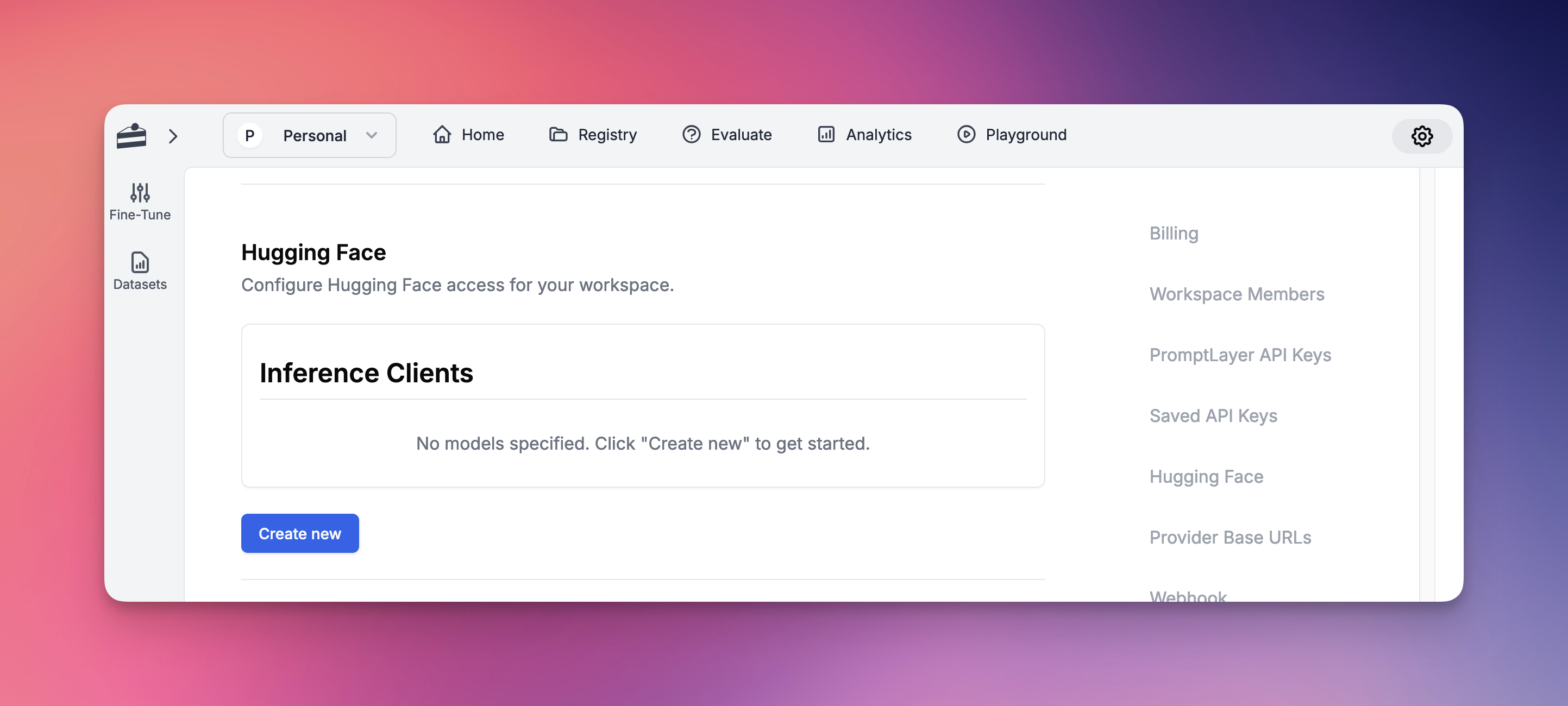
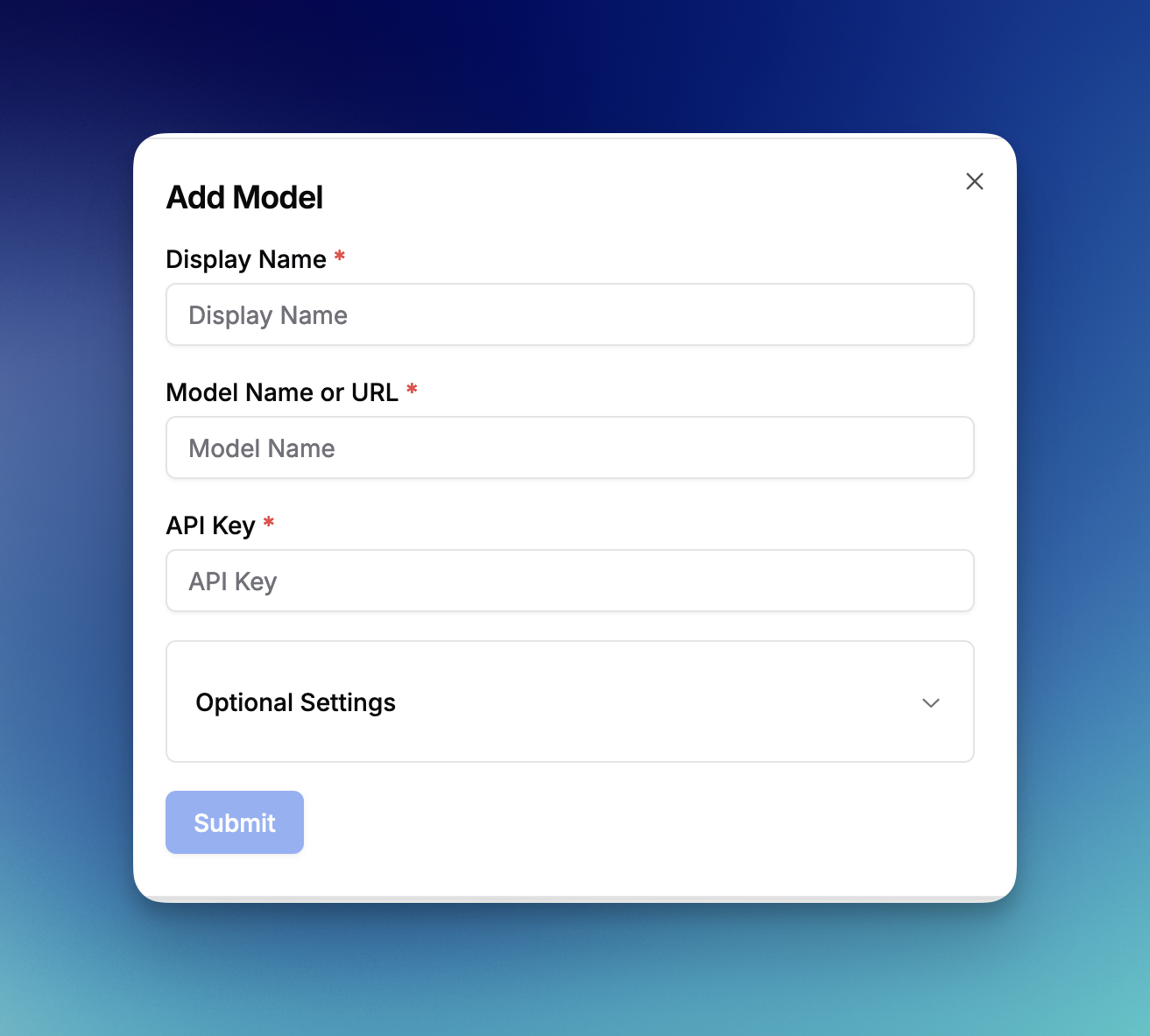
- Prompt Registry
- Evaluations
- All other platform features
Amazon Bedrock
PromptLayer supports integration with Amazon Bedrock, AWS’s fully managed service for accessing foundation models. Amazon Bedrock provides access to models from leading AI companies including Anthropic, Cohere, Meta, and Amazon’s own Titan models. To set up:- Go to Settings
- Navigate to the Amazon Bedrock section
- Enter your AWS Access Key ID
- Enter your AWS Secret Access Key
- Select your AWS Region (e.g., us-east-1, us-west-2)
- Click “Save Bedrock Credentials”
- Anthropic Claude models (Claude 3 Opus, Sonnet, Haiku, and Claude 2)
- Amazon Titan models (Titan Text, Titan Embeddings, Titan Image)
- Meta Llama models (Llama 2 and Llama 3 variants)
- Cohere models (Command and Embed)
- Mistral AI models (Mistral and Mixtral)
- And more as they become available on Bedrock
- Prompt Registry for template management
- Evaluations for testing and comparison
- Playground for experimentation
- All other platform features
Vertex AI
PromptLayer supports integration with Google Cloud Vertex AI, allowing you to use both Google’s foundation models and your own custom-deployed models.Standard Models
To set up Vertex AI for standard models:- Go to Settings
- Navigate to the Vertex AI section
- Enter your Vertex AI Project ID
- Enter your Vertex AI Location (e.g., us-central1)
- Attach your Vertex AI Security Credentials JSON file
- Click “Save Vertex AI Credentials”
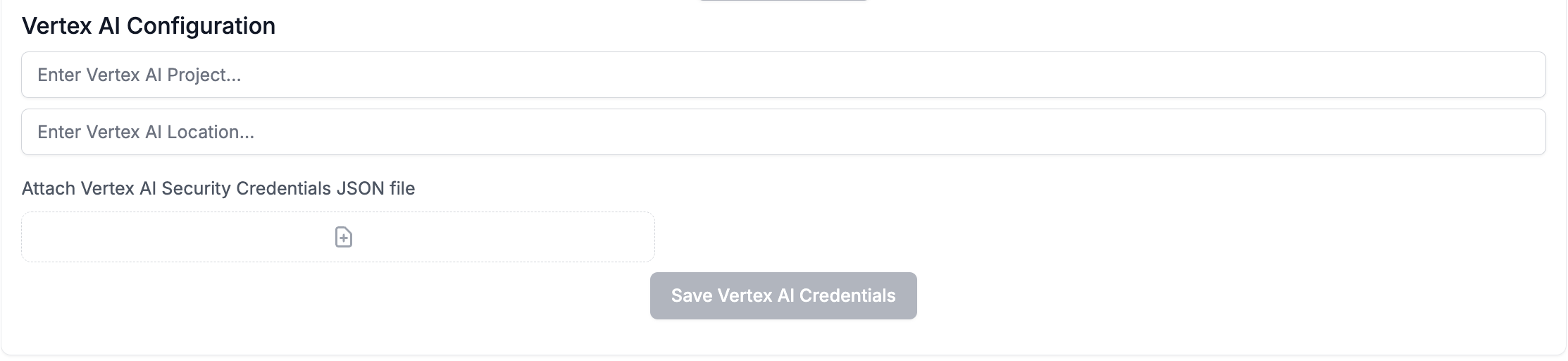
- Gemini models (gemini-pro, gemini-pro-vision, gemini-1.5-pro, etc.)
- Claude models (claude-3-sonnet, claude-3-haiku, claude-3-opus, etc.)
- PaLM models (text-bison, chat-bison, etc.)
Custom Models
Vertex AI also supports deploying and using your own custom models. This allows you to:- Deploy fine-tuned versions of foundation models
- Use models from Model Garden
- Deploy custom-trained models from your ML pipelines
- Access specialized domain-specific models
- Deploy your model to a Vertex AI endpoint in your project
- In PromptLayer Settings, navigate to Custom Models
- Click “Create Custom Model”
- Select “Vertex AI” as the provider
- Enter your model endpoint details:
- Endpoint ID: The deployed model endpoint identifier
- Model Name: The specific model version or identifier
- Display Name: A friendly name for use in PromptLayer
- Configure any model-specific parameters