

Open the scorecard panel
Open a table and click the score badge in the toolbar. The scorecard panel shows the current aggregate score, verdict, last calculation time, row evaluator status, and failing criteria.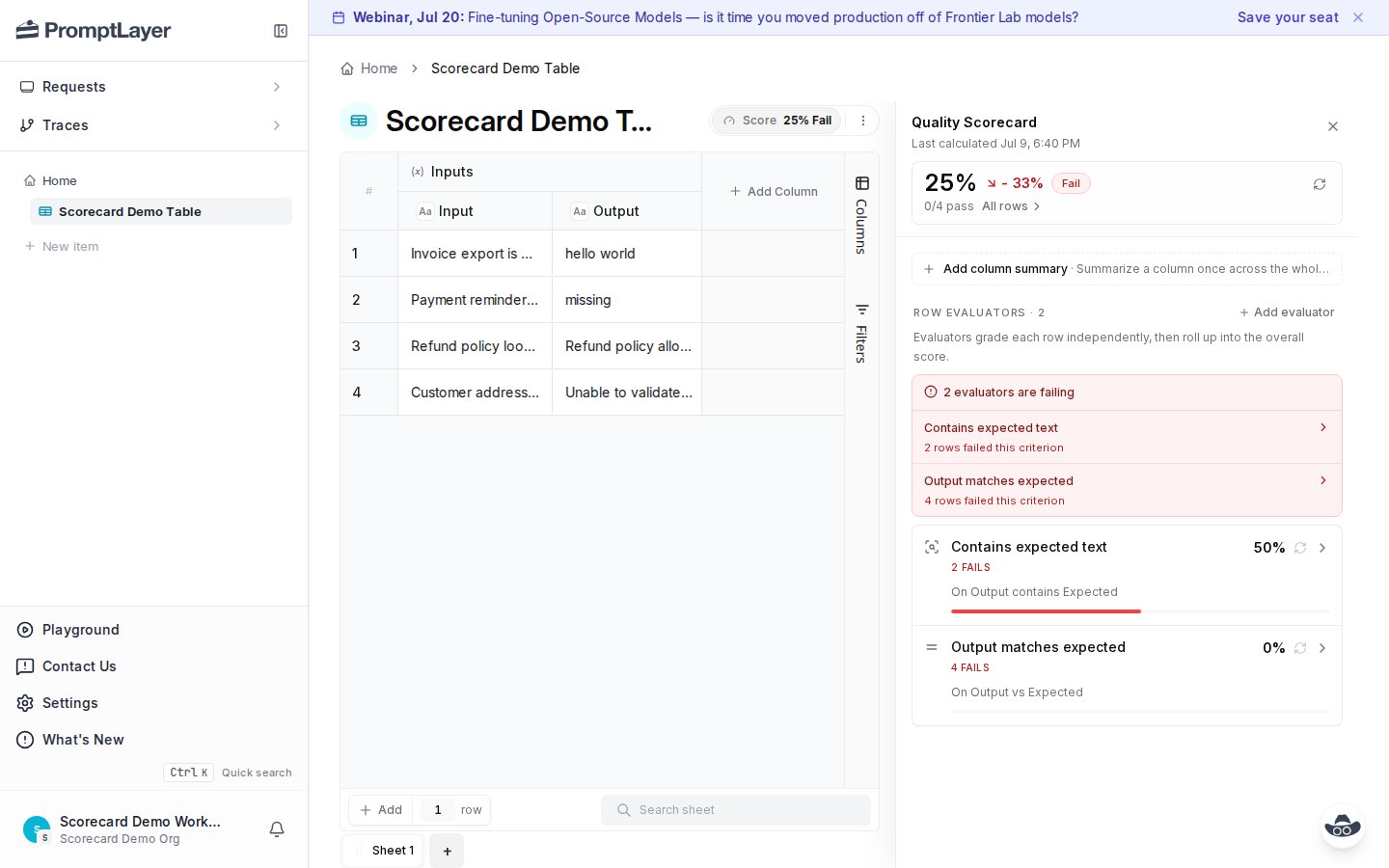
Add evaluators
Click Add evaluator to choose how each row should be graded.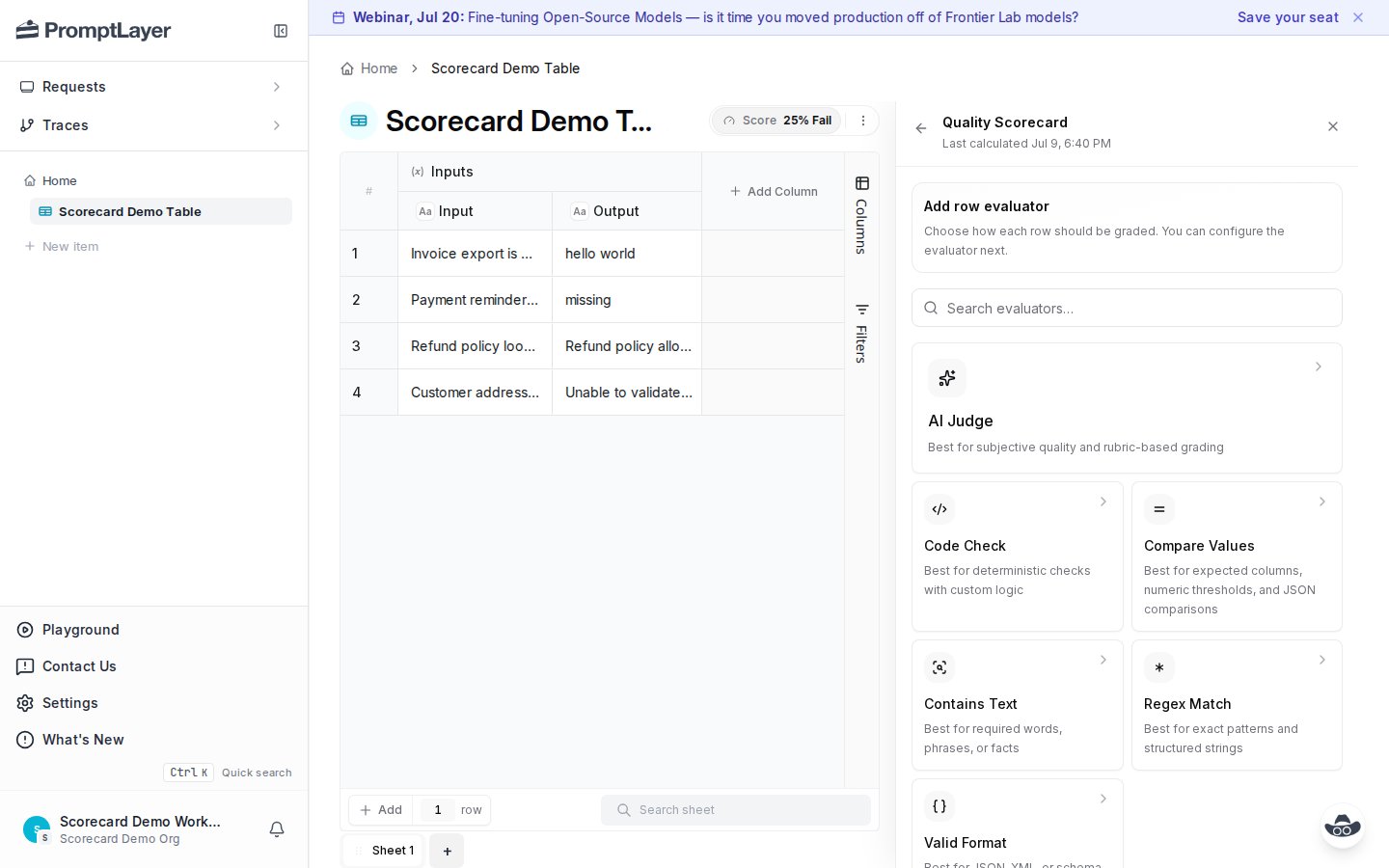
You can also add a column summary. Column summaries run once across the whole column. Row evaluators run once per row, then roll up into the overall score.
Configure an evaluator
Each evaluator has a name, source columns, matching rules, thresholds, and weight. In this example, Contains Text checks whether theOutput column contains the expected value from another column.
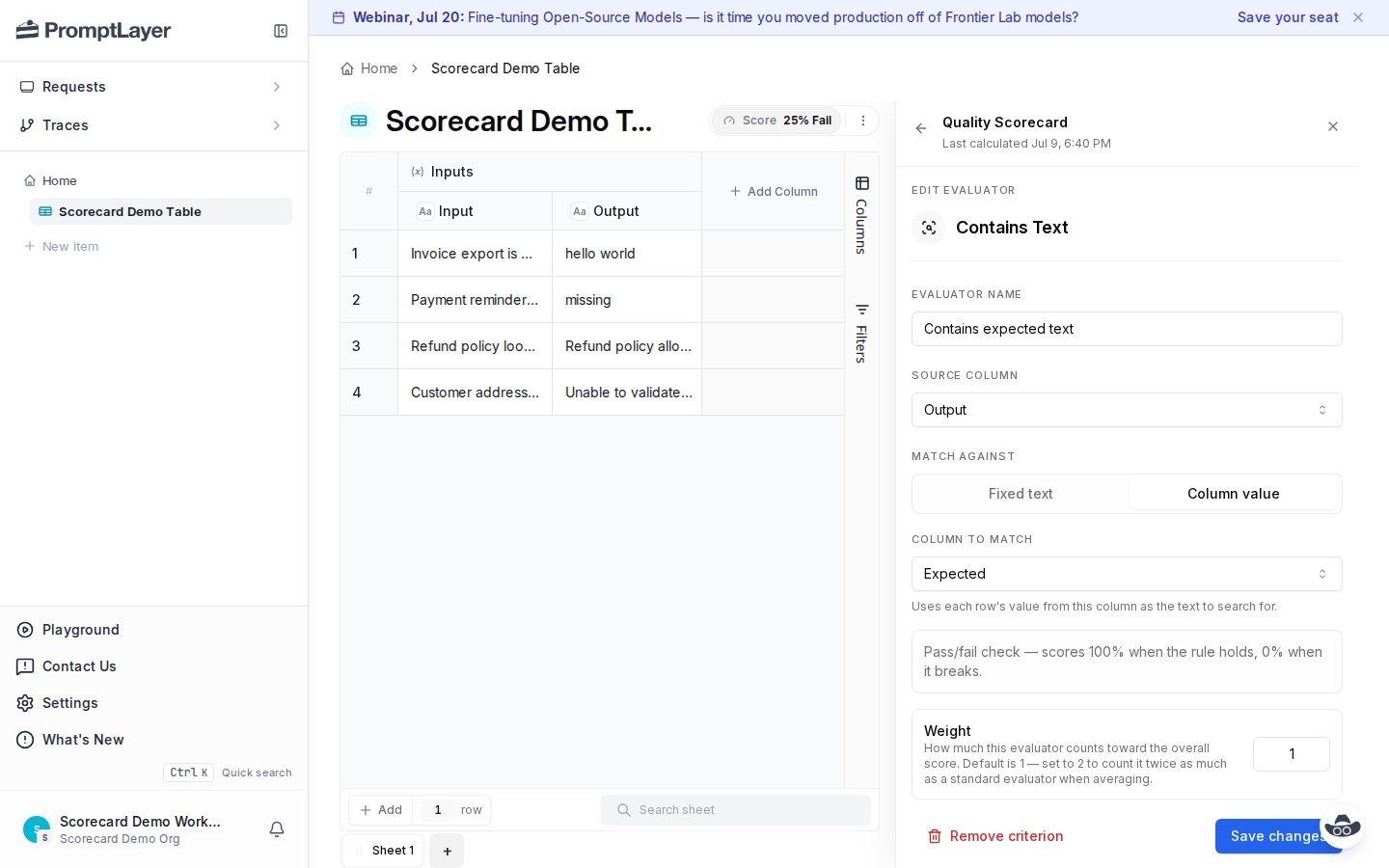
2 counts twice as much as a standard evaluator when scores are averaged.
Review all rows
After a calculation finishes, open All rows to find failures fast. Filter by verdict, search rows, then open a row to see why it failed.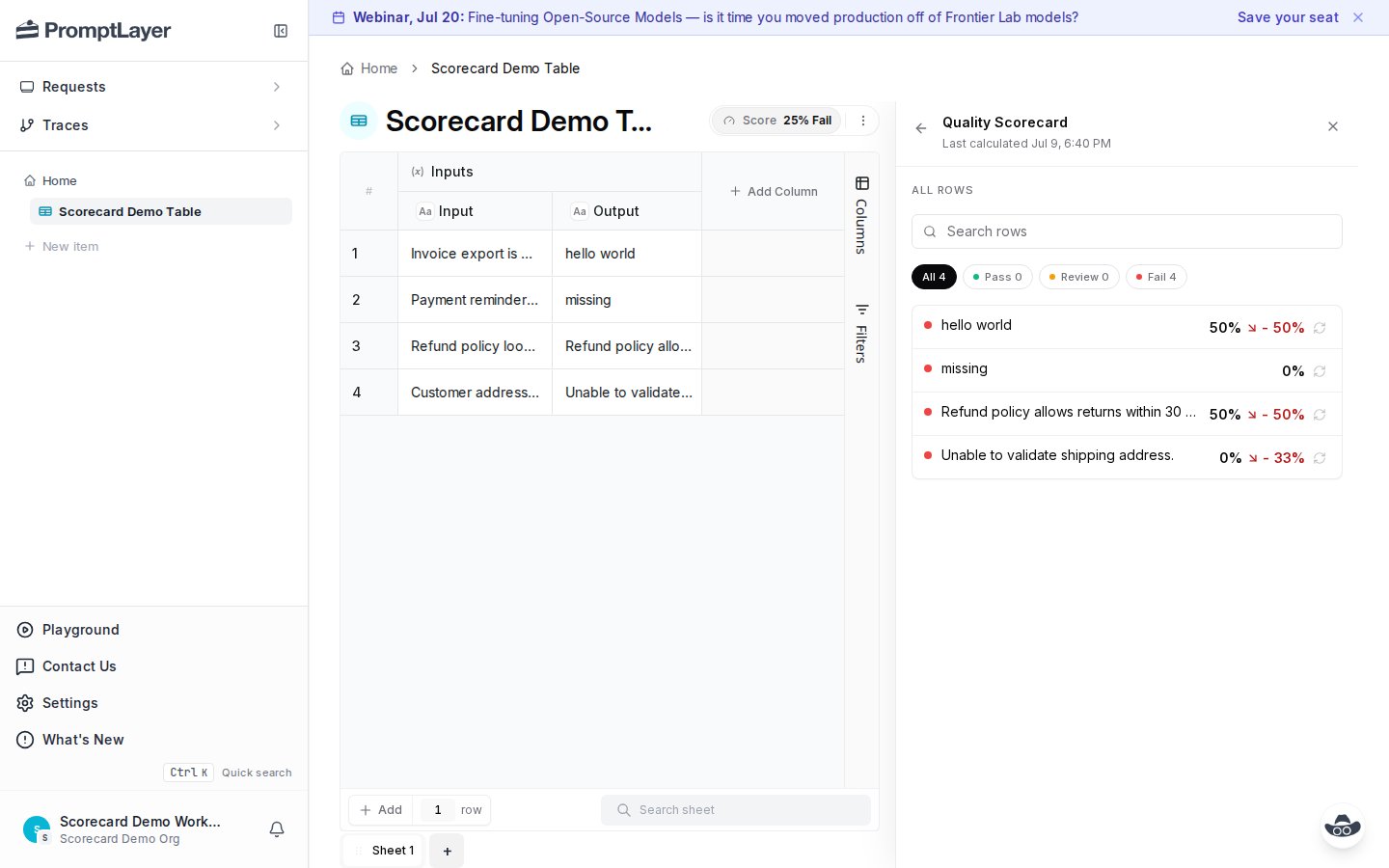
Inspect row evidence
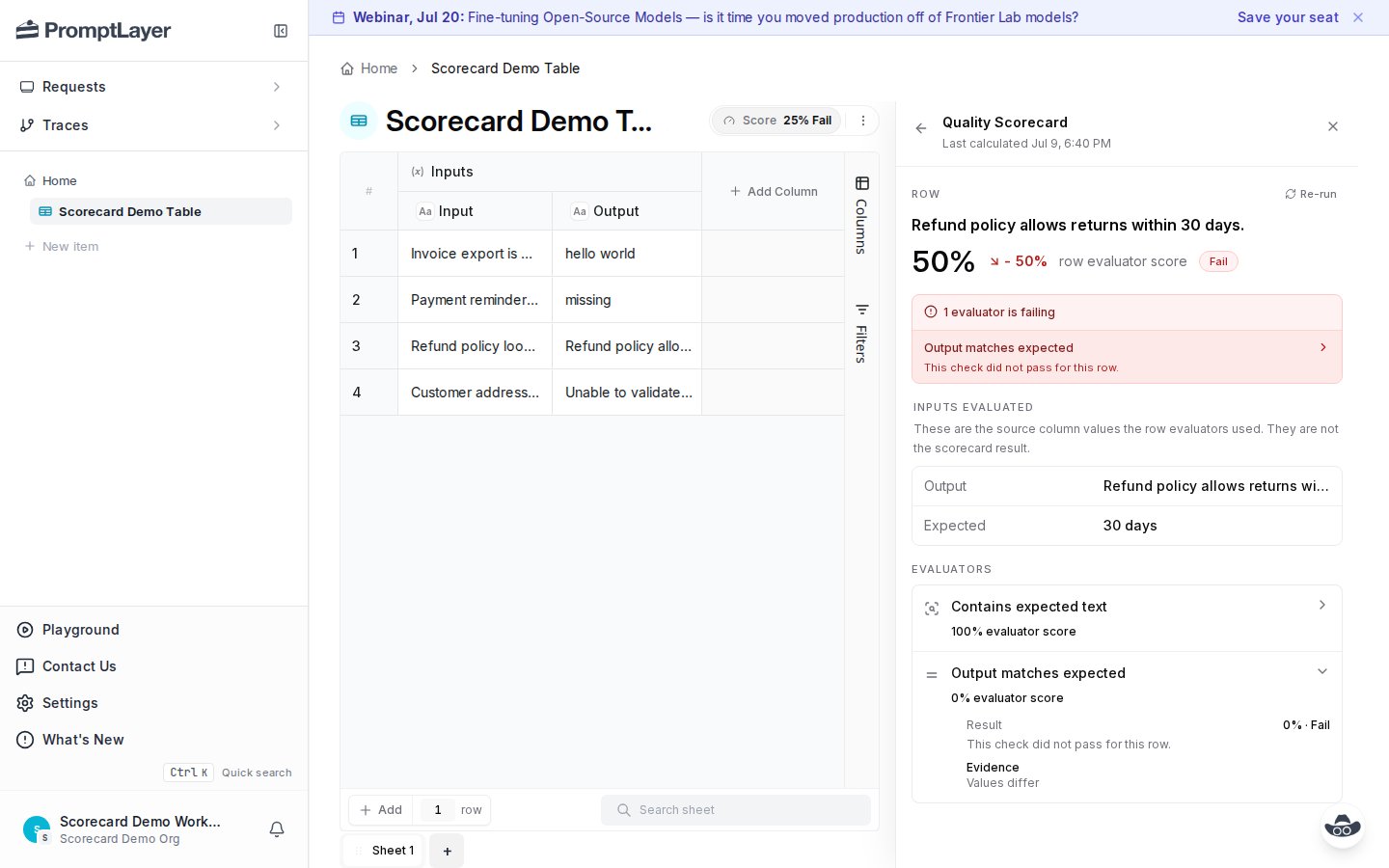
Open a row to see the evaluated inputs, row score, failed evaluators, and per-evaluator results.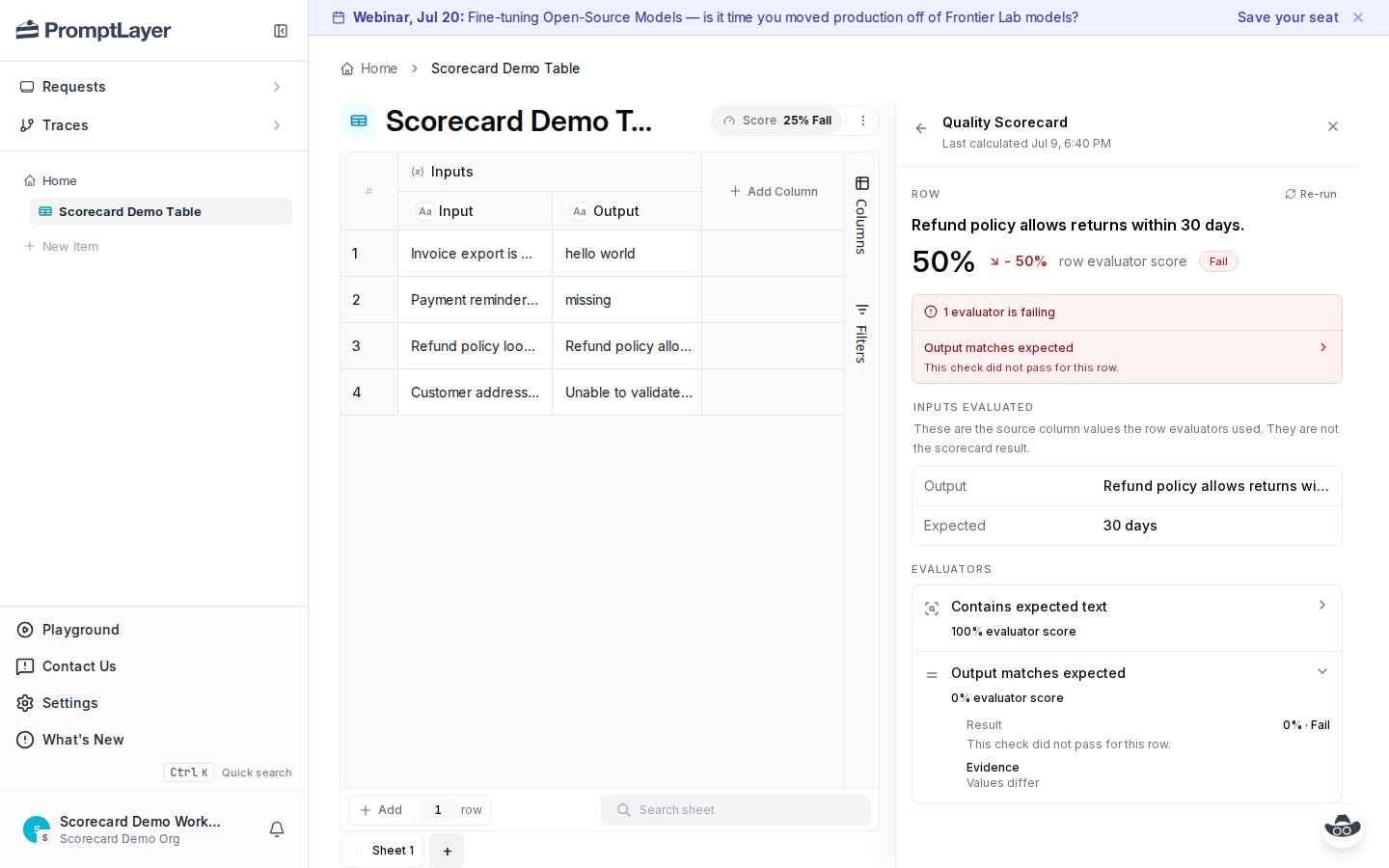
30 days, and the comparison failed because values differ.
Inspect one evaluator
Open an evaluator to see its aggregate result across rows. This view shows the average score, pass count, and each row’s result for that criterion.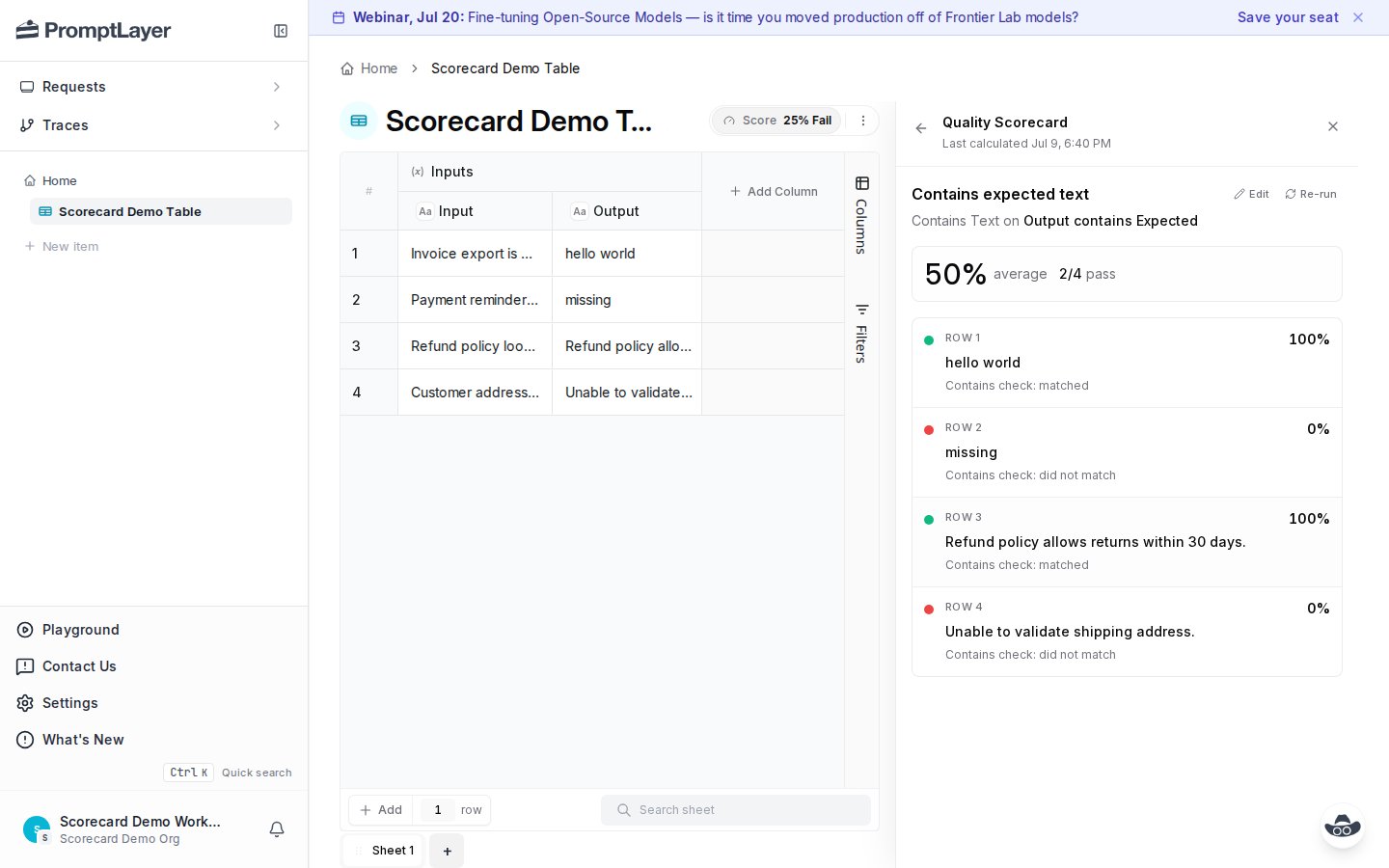
Recalculate after changes
Editing a scorecard or changing inputs can make results stale. The panel marks the scorecard as edited and keeps the previous calculation visible until you rerun.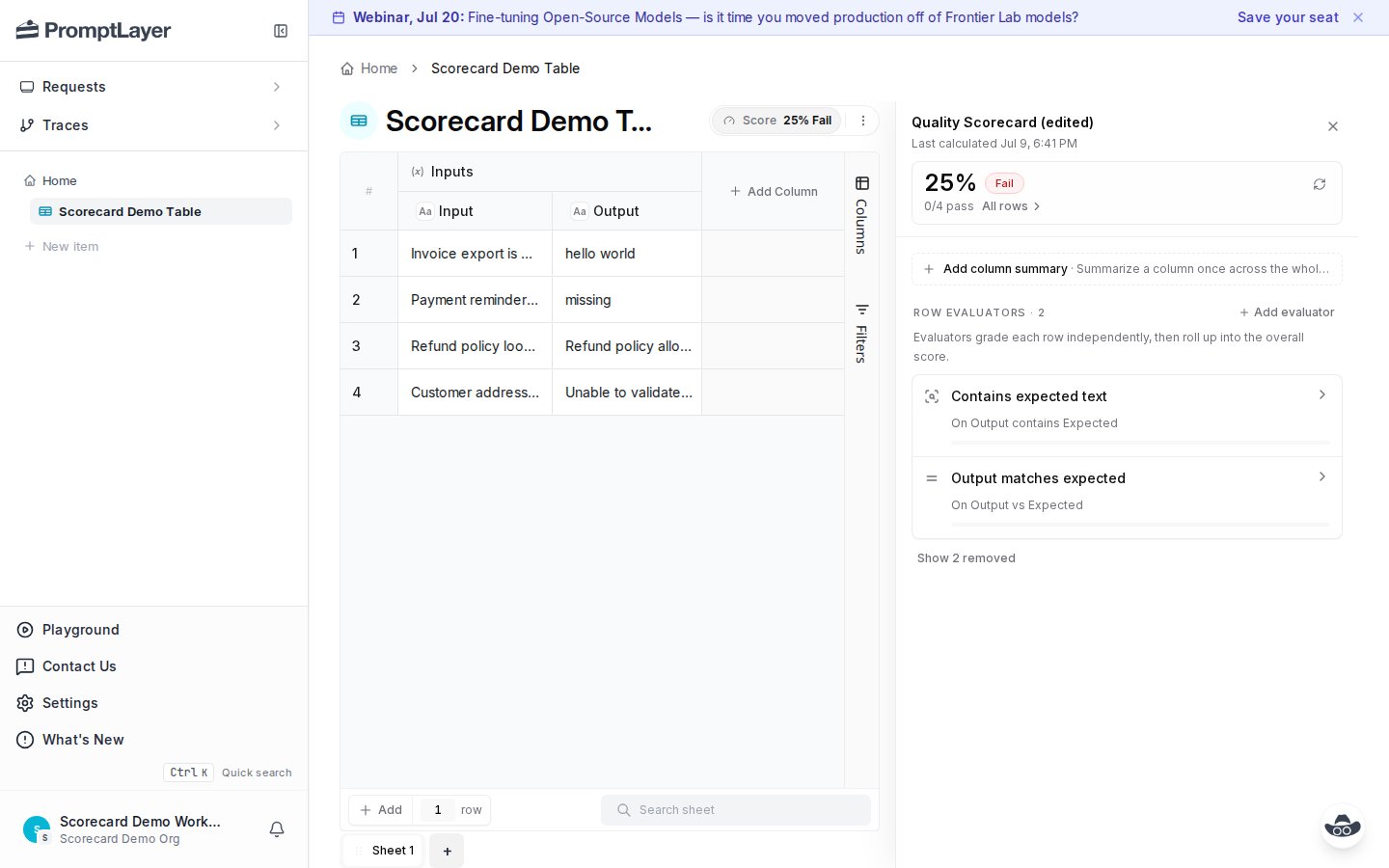
- Add, remove, or edit an evaluator.
- Change a source or expected column.
- Update weights or thresholds.
- Rerun cells that feed the scorecard.
- Import or edit rows in the sheet.
API workflow
The API uses the same model as the UI.
For scoped work, pass
row_indices and step_ids to recalculation or cancel endpoints. Row pagination uses cursor / next_cursor; row breakdown fields such as aggregate_score, aggregate_verdict, and step_results are returned at the top level.
Migrate from legacy /score
If your sheet uses legacy scoring, migrate in place and keep current integrations stable.
- Run
POST /scorecard/migrate-legacy-scorewithdelete_legacy_score: false. - Check
converted_count,skipped, and generatedsteps. - Run
POST /scorecard/recalculate. - Move consumers from
/scoreto/scorecardendpoints. - Set
delete_legacy_score: trueonly after migration is complete.
skipped before deleting legacy score configuration.
SDK evals
To create experiment scorecards from code withevaluate(...), use SDK Evals.
Manual scorecard Python SDK example
API references
Get scorecard
Read scorecard config and display run state.
Configure scorecard
Create or update criteria and aggregation.
Recalculate scorecard
Queue full or scoped scorecard runs.
List scorecard rows
Review row-level verdicts and drill into failures.