

Sign-in policy toggles
SSO enabled
Allows org members to sign in through the configured SAML/OIDC connection. When off, SSO is disabled for the org even if the IdP connection exists.Require SSO
When enabled:- Regular org members must use SSO—email/password sign-in is blocked for users in this organization.
- Social login (Google, GitHub, etc.) is also blocked for managed members when SSO is required.
- Existing sessions for affected users are invalidated on their next request (JWT carries an identity policy version that bumps when Require SSO changes).
JIT provisioning
Auto-creates PromptLayer accounts on first successful SSO login. Email domain allowlisting is enforced by WorkOS on the SSO connection. When JIT is off, users must already exist in PromptLayer (invited or created manually) before SSO can link their account.MFA
MFA behavior depends on how the user signs in:
PromptLayer does not prompt SSO users for a second factor—your IdP handles step-up authentication during SSO.
For regular members in Require SSO orgs, the Account Settings MFA toggle is hidden with a message that authentication is managed by the organization.
Emergency access (break-glass)
Require SSO blocks email/password for almost everyone—but every enterprise-managed org must keep exactly one Owner with emergency access who can still sign in with email/password if SSO is unavailable.Designating emergency access
Under Enterprise Identity → Emergency access: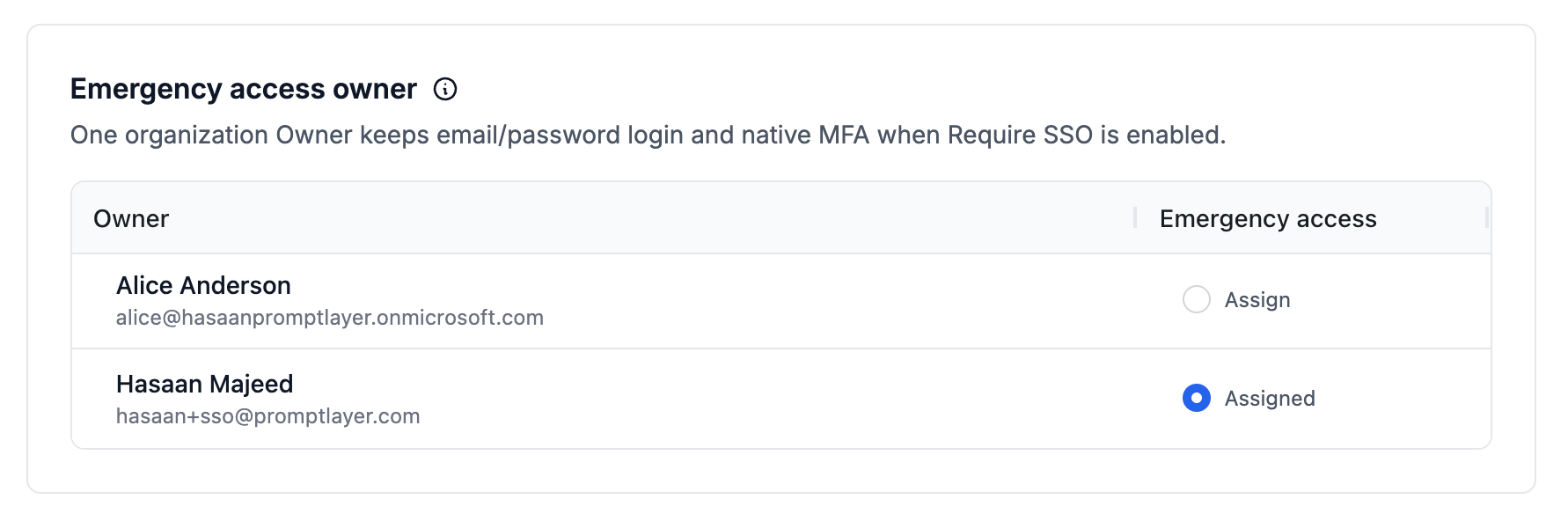
- All active Owners are listed.
- Exactly one Owner holds emergency access at a time (radio selection).
- Reassigning emergency access requires confirmation.
- If none is designated when Enterprise Identity is enabled, PromptLayer auto-selects an Owner.
Requirements before Require SSO
The emergency access Owner must complete both before Require SSO can be enabled:- PromptLayer MFA enrolled in Account Settings → Security
- Emergency password set in Account Settings (separate from their normal password when SSO is primary)
Organization Owners without emergency access must use SSO when Require SSO is on. Only the designated emergency access Owner retains native login.
When emergency access is used
Successful emergency logins are recorded in the audit log asbreak_glass_login_used. Blocked attempts (wrong user, missing MFA, etc.) log break_glass_login_blocked.
Session invalidation
PromptLayer embeds an identity policy version in auth tokens for enterprise-managed orgs. These actions bump the version and sign users out on next request:- Enabling or disabling Enterprise Identity
- Enabling or disabling Require SSO
- Other identity policy changes that affect authentication
Recommended enforcement sequence
1
Test SSO
Use Test SSO in Connection settings until sign-in succeeds reliably.
2
Enable SSO enabled
Allow members to use SSO alongside existing login methods.
3
Provision access
Configure group mappings and default workspace.
4
Prepare emergency access
Designate one Owner, enroll MFA, and set emergency password in Account Settings.
5
Enable Require SSO
Enforce SSO for all members except the emergency access Owner.
6
Enable JIT (if desired)
Turn on JIT provisioning once email domains and access paths are verified.
What stays unchanged
Enterprise Identity does not alter authentication for:- Users who are not members of an enterprise-managed organization
- Organizations without Enterprise Identity enabled
- API key authentication to the PromptLayer REST API