

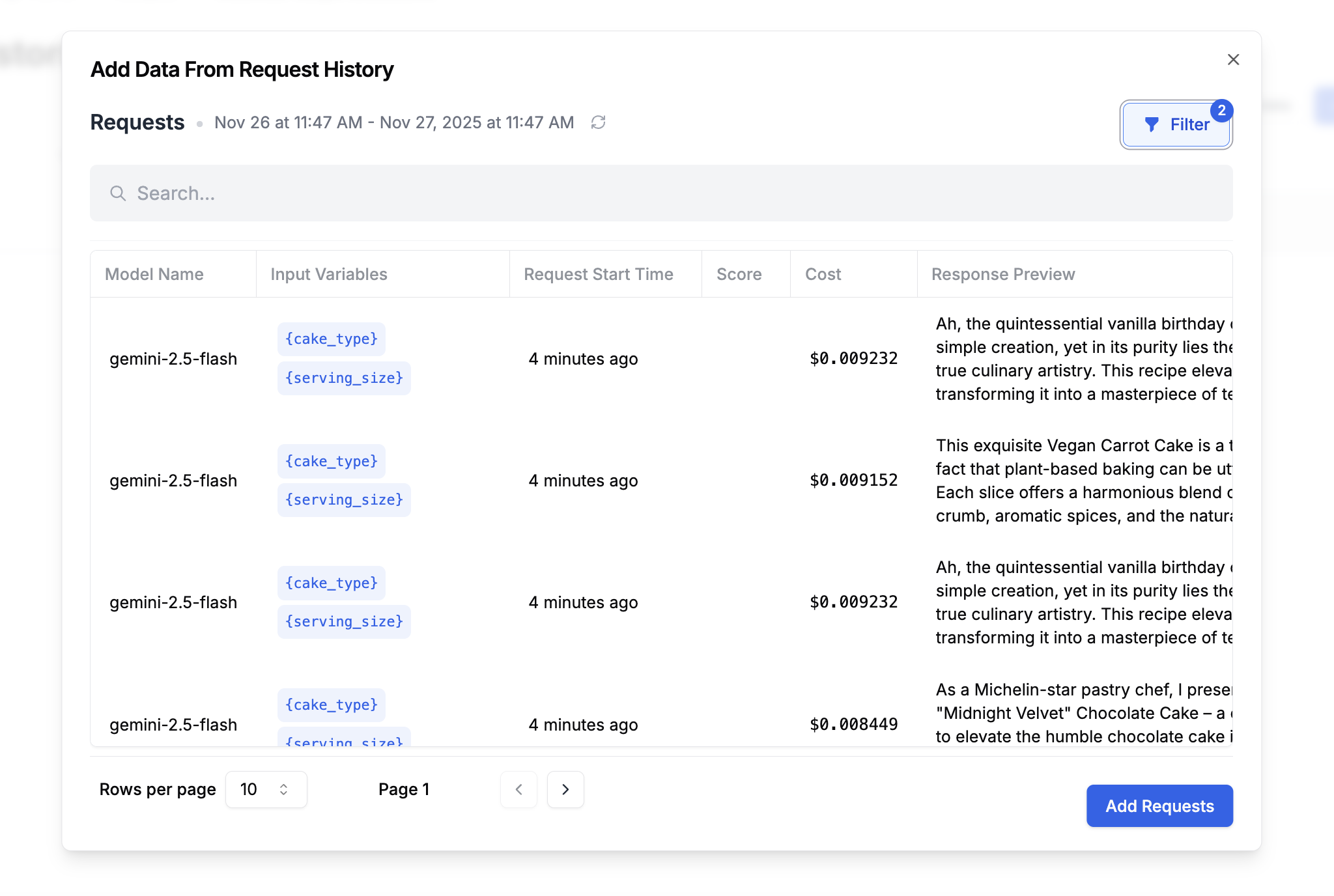
Use request history when you want to build datasets from real production or staging traffic. This is a strong fit for backtesting, regression testing, and creating evaluation sets from the prompts, metadata, and outcomes your system has already seen. Creating a dataset from history is straightforward using the Dataset dialog. PromptLayer can build a dataset from your request history, including metadata, input variable context, tags, and the request response. This is especially useful when you want to evaluate a new prompt version against real historical examples. Go to Datasets and click Add from Request History. This opens a request log browser where you can filter and select requests.Documentation Index
Fetch the complete documentation index at: https://docs.promptlayer.com/llms.txt
Use this file to discover all available pages before exploring further.

- Time range
- Metadata key-value pairs
- Prompt templates and version numbers
- Search query
- Scores
- Tags
Related REST APIs
- Create Dataset Group - Create the dataset group that will contain your draft and saved versions.
- Create Dataset Version from Request History - Recommended direct path for creating a dataset version from filtered request logs.
- Create Draft Dataset Version - Start a draft dataset manually when you want a more controlled, multi-step workflow.
- Add Request Log to Dataset - Add individual request logs to a draft dataset as rows.
- Save Draft Dataset Version - Publish the draft as a saved dataset version.
- Get Dataset Rows - Inspect the rows in the resulting dataset version.

