

SKILL.md, alongside provider-specific config (like CLAUDE.md or AGENTS.md). Edit in the PromptLayer dashboard, version with commit messages and release labels, share a public link, let others Remix a copy, and pull the collection into your local agent with the PromptLayer SDK.
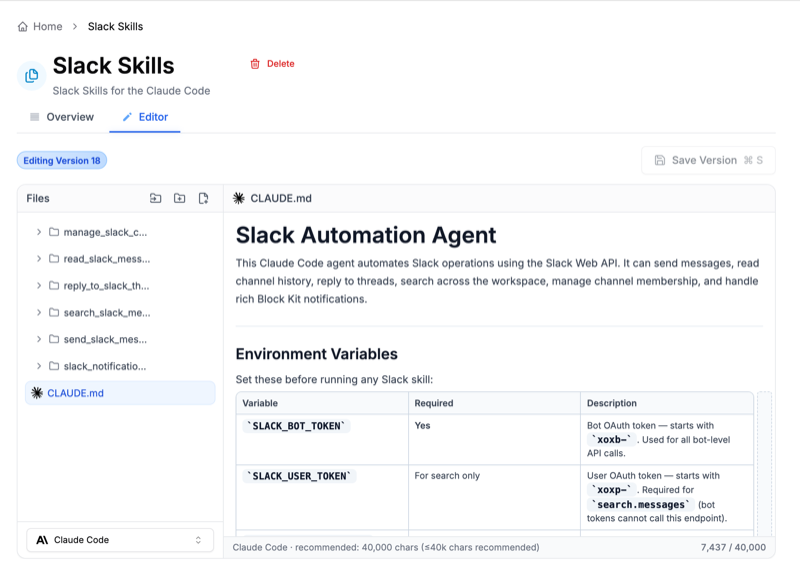
Supported layouts
Skill Collections support the following agent environments:
Exports and zip pulls include the on-disk prefix your tool expects (
.claude/, .agents/, .openclaw/). Public API calls use paths relative to the collection root (e.g. triage/SKILL.md) — not the exported form like .claude/skills/triage/SKILL.md.
What you can do
- Version every change with a commit message; optional release labels for staging vs production.
- Share a read-only link and optionally allow Remix so others copy the collection into their workspace.
- Pull via the Python or JavaScript SDK into
.claude,.agents,.openclaw, or a genericskillsfolder. - Compare versions and roll back from version history in the dashboard.
Plan limits
These are the default capacity guidelines.
Hard limit: any single file must be 5 MiB or smaller.
Next steps
Editing with Wrangler AI
Use the in-dashboard assistant to create, edit, rename, or migrate Skill
Collections with natural language.
Share and remix collections
Publish a read-only link, let others remix into their own workspace, and
show them how to pull the collection.
Pulling skills into your agent
Sync a collection to disk with the Python or JavaScript SDK, or download via
the public REST API.
Tune skills for your team
Rename folders, edit frontmatter, and pin SDK pulls to release labels.