> ## Documentation Index
> Fetch the complete documentation index at: https://docs.promptlayer.com/llms.txt
> Use this file to discover all available pages before exploring further.
# Workspaces
> Create shared environments for teams, projects, and deployment stages in PromptLayer.
## Workspaces
Workspaces are collaborative environments within your organization where teams can:
* Share prompt templates and evaluations
* Collaborate on projects
* Organize resources by team or project
* Maintain separate environments (dev, staging, production)
### Creating a Workspace
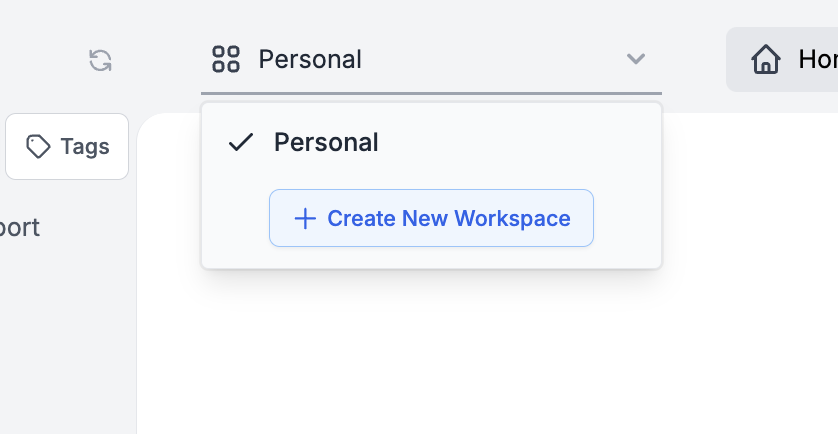
You can create a new workspace by clicking the 'Create Workspace' button from the workspace dropdown.
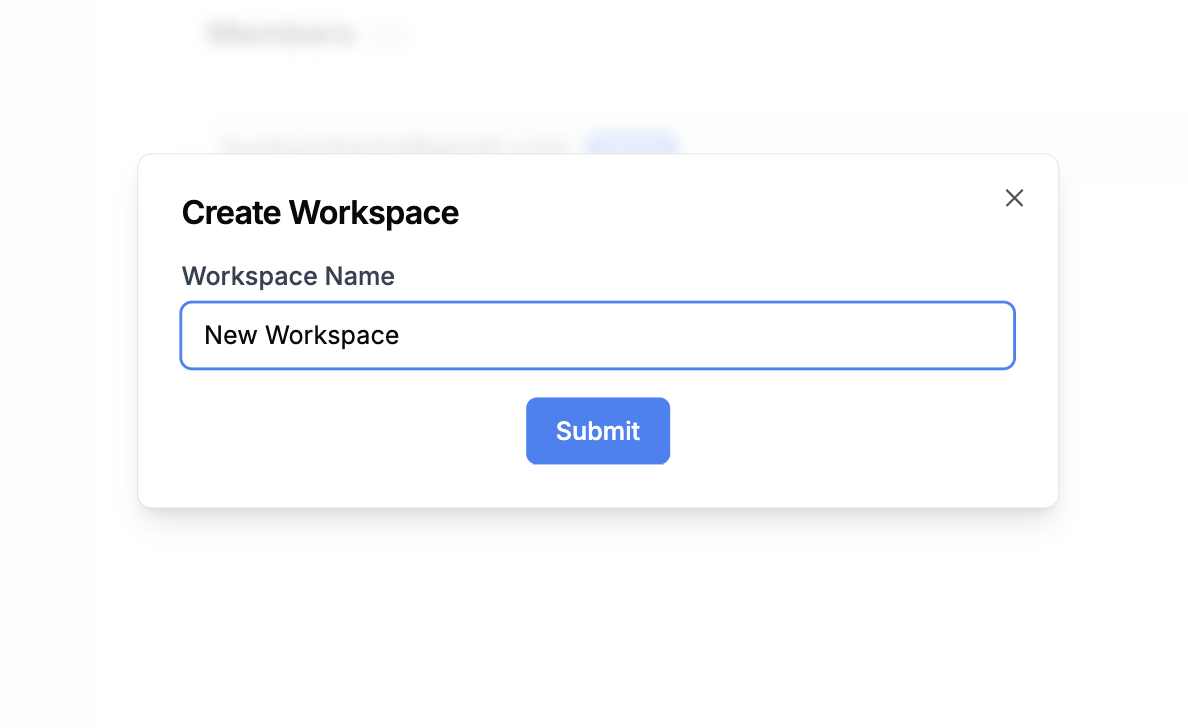
 Choose a unique name for your workspace to enhance its identity and ease of recognition among team members.
 ### Workspace Management
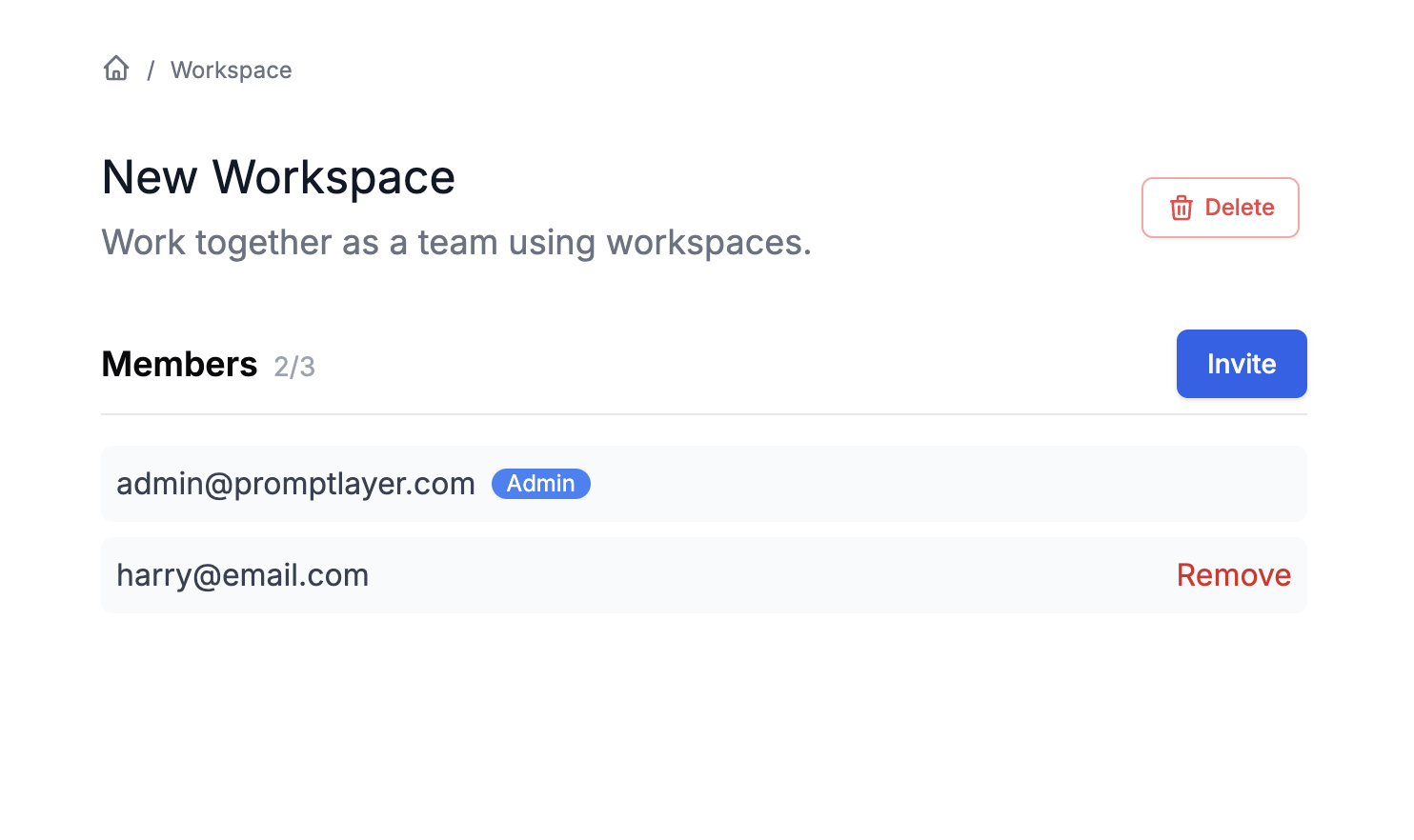
Upon creating a workspace, you'll be designated as the workspace administrator. This role empowers you to:
* Invite new members to the workspace
* Manage member permissions
* Remove members from the workspace
* Configure workspace-specific settings
* Delete the workspace if needed
### Workspace Management
Upon creating a workspace, you'll be designated as the workspace administrator. This role empowers you to:
* Invite new members to the workspace
* Manage member permissions
* Remove members from the workspace
* Configure workspace-specific settings
* Delete the workspace if needed
 ### Workspace Roles and Permissions
Each workspace supports granular permission control:
* **Workspace Admin**: Full control over workspace settings and members
* **Editor**: Can create, edit, and delete resources within the workspace
* **Viewer**: Read-only access to workspace resources
## Best Practices
Organizations typically structure workspaces by team (Engineering, Data Science, Product), by project, or by environment (dev, staging, production). When managing access, follow the principle of least privilege and regularly review workspace memberships to ensure proper access control.
### Workspace Roles and Permissions
Each workspace supports granular permission control:
* **Workspace Admin**: Full control over workspace settings and members
* **Editor**: Can create, edit, and delete resources within the workspace
* **Viewer**: Read-only access to workspace resources
## Best Practices
Organizations typically structure workspaces by team (Engineering, Data Science, Product), by project, or by environment (dev, staging, production). When managing access, follow the principle of least privilege and regularly review workspace memberships to ensure proper access control.