> ## Documentation Index
> Fetch the complete documentation index at: https://docs.promptlayer.com/llms.txt
> Use this file to discover all available pages before exploring further.
# Fine-Tuning
Fine-tuning is incredibly powerful. PromptLayer lets you build and iterate models in a few clicks.
If you are already logging your `gpt-4` requests in PromptLayer, it only takes a few clicks to fine-tune a `gpt-3.5-turbo` model on those requests! ✨
## What is fine-tuning?
Fine-tuning is a technique to specialize a pre-trained large language model (LLM) for a specific task. It involves training the LLM on a small dataset of examples, where the input is the text to be processed and the output is the desired output, such as a classification label, a translation, or a generated text.
Fine-tuning is powerful because it allows developers to create a model that is tailored to their specific needs. This could be used to improve model output quality, shorten a system prompt without degrading performance, or to decrease latency by building off of a smaller model.
Here are some examples of how fine-tuning can be used:
* **Reduce latency and cost:** Fine-tune `gpt-3.5-turbo` on `gpt-4` outputs to achieve `gpt-4`-quality results on a faster and cheaper model.
* **Save on tokens:** Generate training data using a long and complex prompt. When fine-tuning, change the prompt to something shorter and save on tokens.
* **Improve output format:** Generate synthetic training data to teach a base model to only output text in JSON.
## Create training data
The first step to fine-tuning is preparing the training data you want the model to learn from. Training data in this case are just LLM requests.
### Log in the background
The simplest way to do this is to just connect your application to PromptLayer and start logging requests. Just wait a week and your production users will have created tons of training data for you!
### Batch run prompts
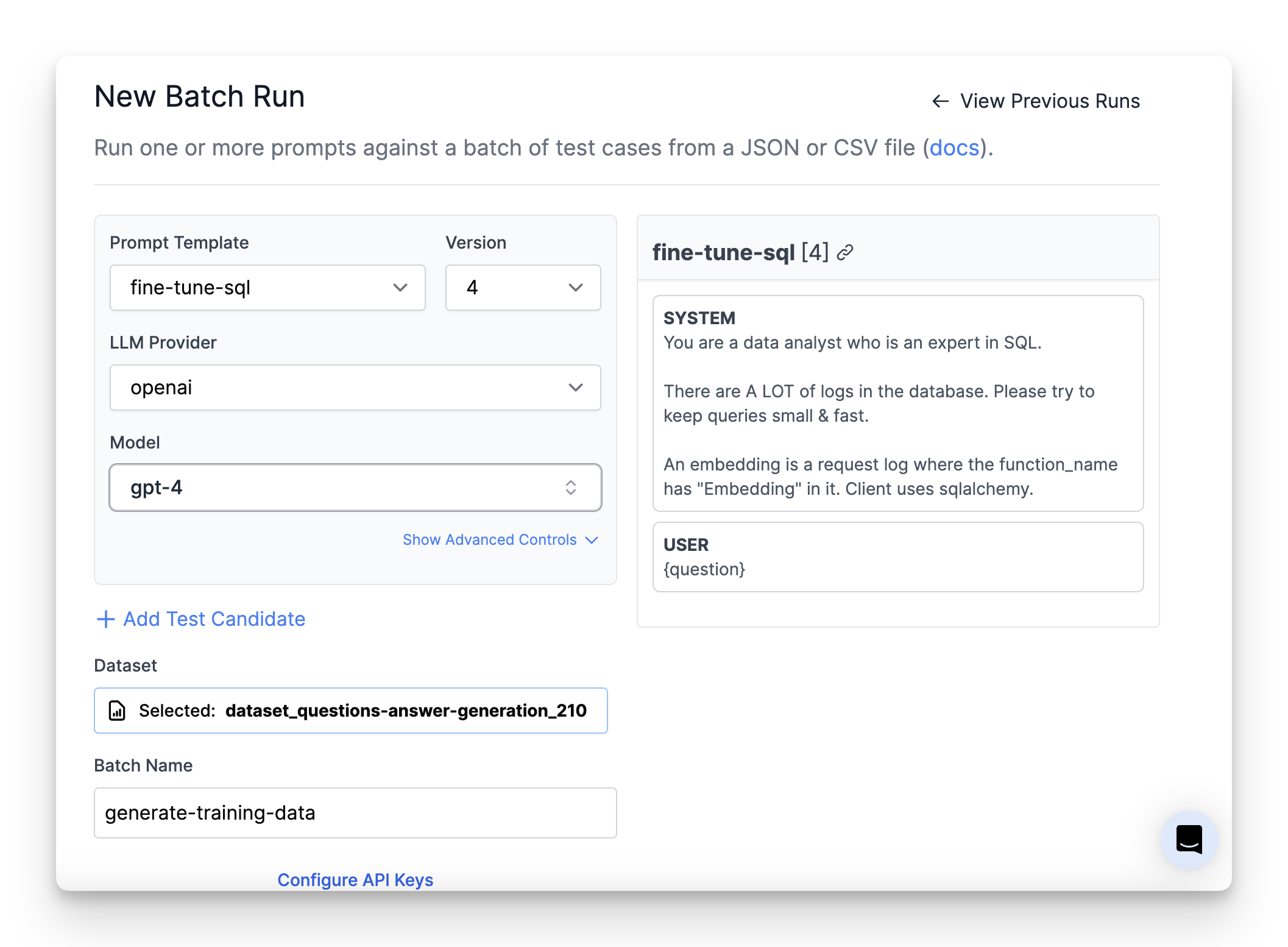
Alternatively, you can use PromptLayer to generate these training requests. Visit the [Evaluations page](/features/evaluations/overview) to run batch jobs of your prompts.
For example, to generate fine-tuning data you can run a prompt template from the [Prompt Registry](/features/prompt-registry) against 200 test cases on `gpt-4`. Then just filter the sidebar based its specific test run tag.
 ## Select training data
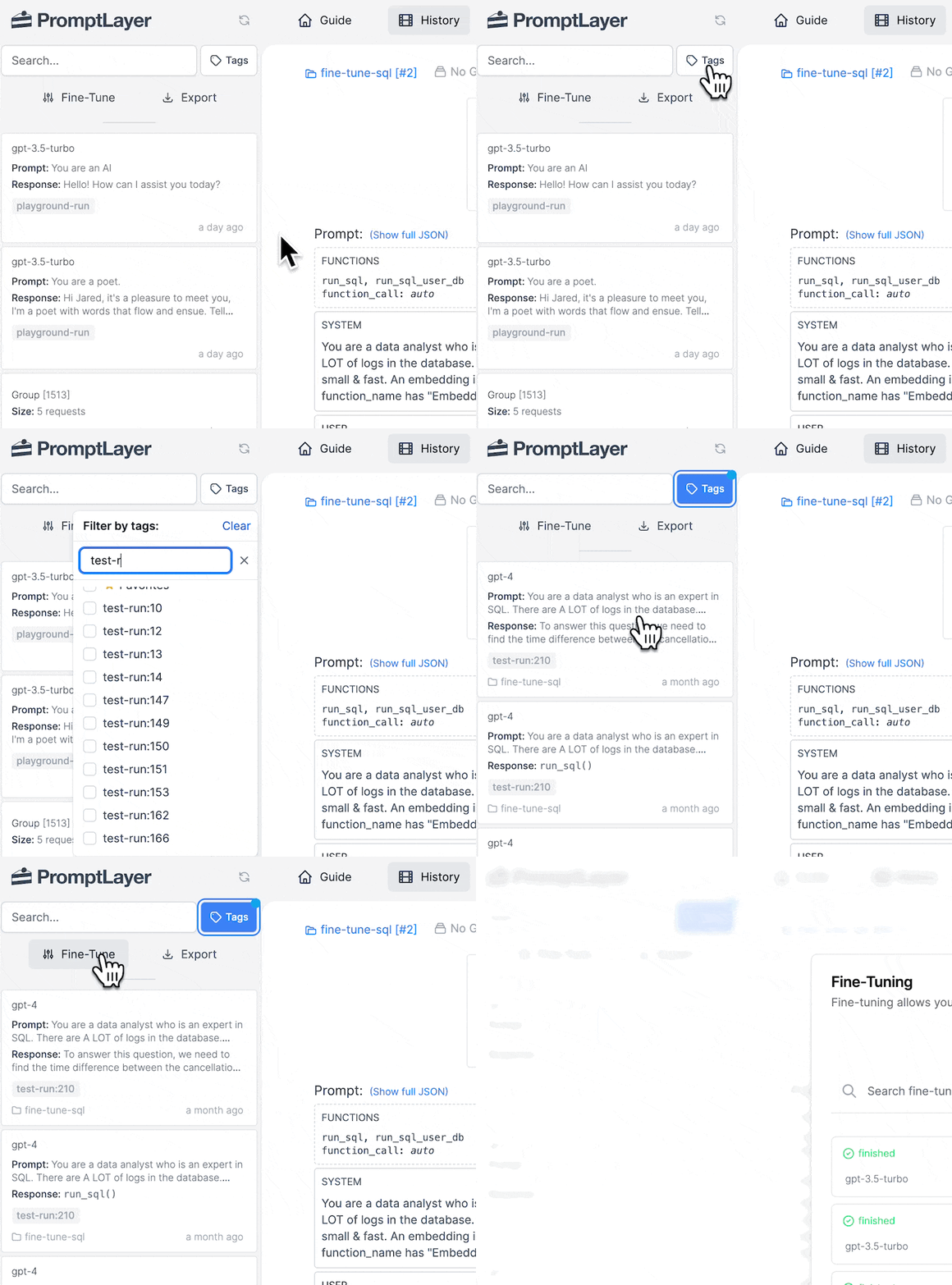
Use the sidebar search area to filter for your training data. All the data that appears from that search query will be used to fine-tune.
[Learn more about search filters](/why-promptlayer/advanced-search)
## Start the fine-tune job
Click "Fine-Tune" in the sidebar, follow the steps, and kick off a job.
## Test out your new model
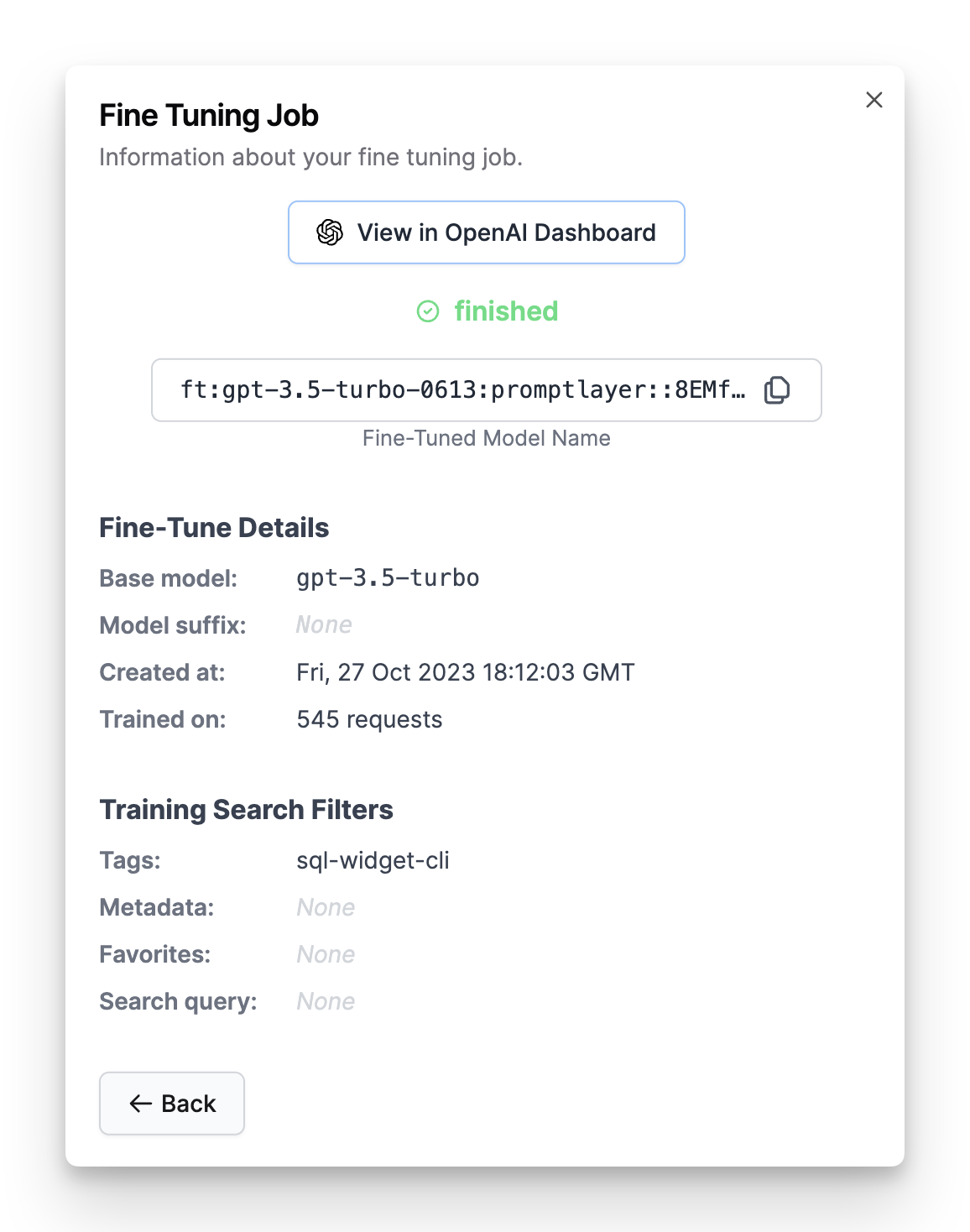
**Success!** 🎉 Now you have a new fine-tuned model. Let's see if it's any good...
### Try it in Playground
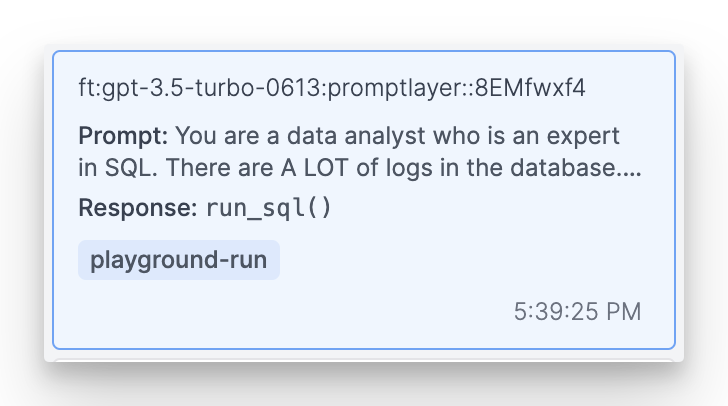
Copy the model name and navigate to the PromptLayer Playground. There you can run an arbitrary request on the new model. See how it does!
### Try it in Evaluations
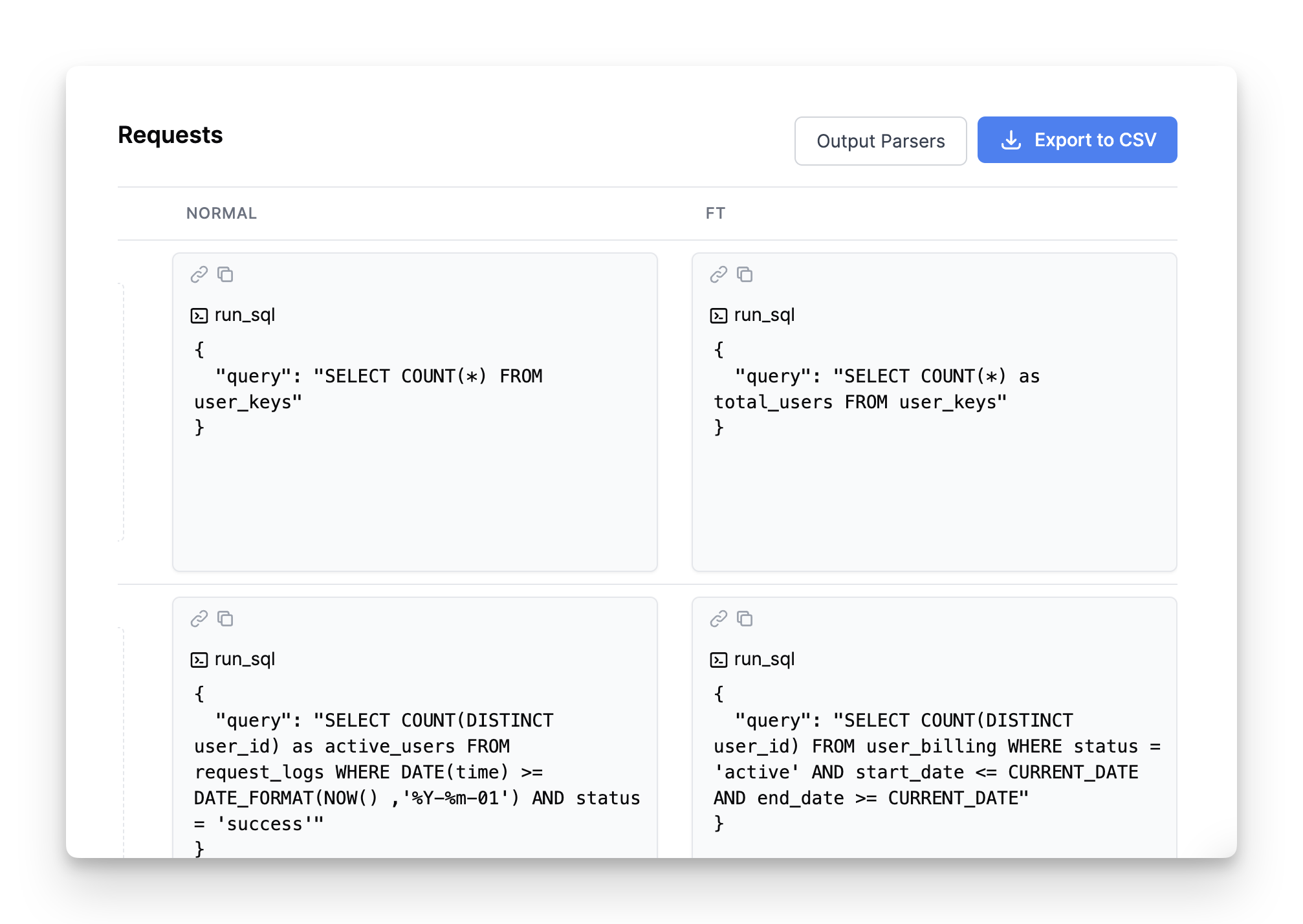
It's important to test your fine-tune model a little more rigorously than one-off Playground requests. Navigate to the [Evaluations page](/features/evaluations/overview) and run some batch tests. See how the fine-tuned candidate compares to a standard `gpt-4` candidate.
## Select training data
Use the sidebar search area to filter for your training data. All the data that appears from that search query will be used to fine-tune.
[Learn more about search filters](/why-promptlayer/advanced-search)
## Start the fine-tune job
Click "Fine-Tune" in the sidebar, follow the steps, and kick off a job.
## Test out your new model
**Success!** 🎉 Now you have a new fine-tuned model. Let's see if it's any good...
### Try it in Playground
Copy the model name and navigate to the PromptLayer Playground. There you can run an arbitrary request on the new model. See how it does!
### Try it in Evaluations
It's important to test your fine-tune model a little more rigorously than one-off Playground requests. Navigate to the [Evaluations page](/features/evaluations/overview) and run some batch tests. See how the fine-tuned candidate compares to a standard `gpt-4` candidate.