> ## Documentation Index
> Fetch the complete documentation index at: https://docs.promptlayer.com/llms.txt
> Use this file to discover all available pages before exploring further.
# Data Retention
> Control how long request logs and trace data are kept in a workspace.
A **data retention policy** controls how long PromptLayer keeps the request logs and trace data logged to a workspace. Set a shorter window to automatically remove older data, or keep everything forever. Retention is configured per workspace, so different teams and environments can have different policies.
## Retention Periods
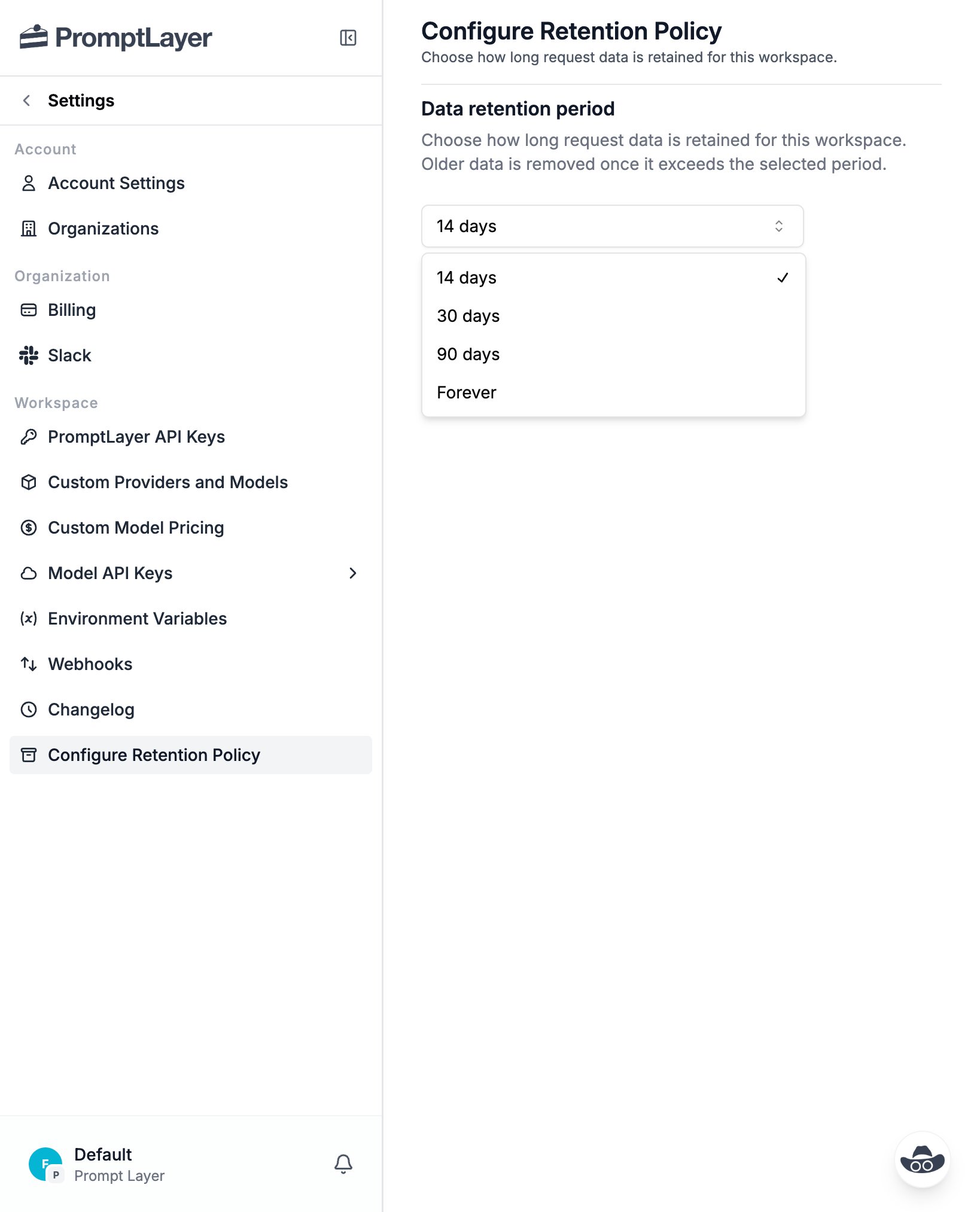
Each workspace has one active retention period:
* **14 days**
* **30 days**
* **90 days**
* **Forever** (default)
New workspaces start on **Forever**, meaning nothing is ever automatically removed until you choose a finite period.
 ## Configuring the Policy
1. Open **Settings** for the workspace you want to configure.
2. Select **Configure Retention Policy** from the **Workspace** section.
3. Choose a retention period from the dropdown.
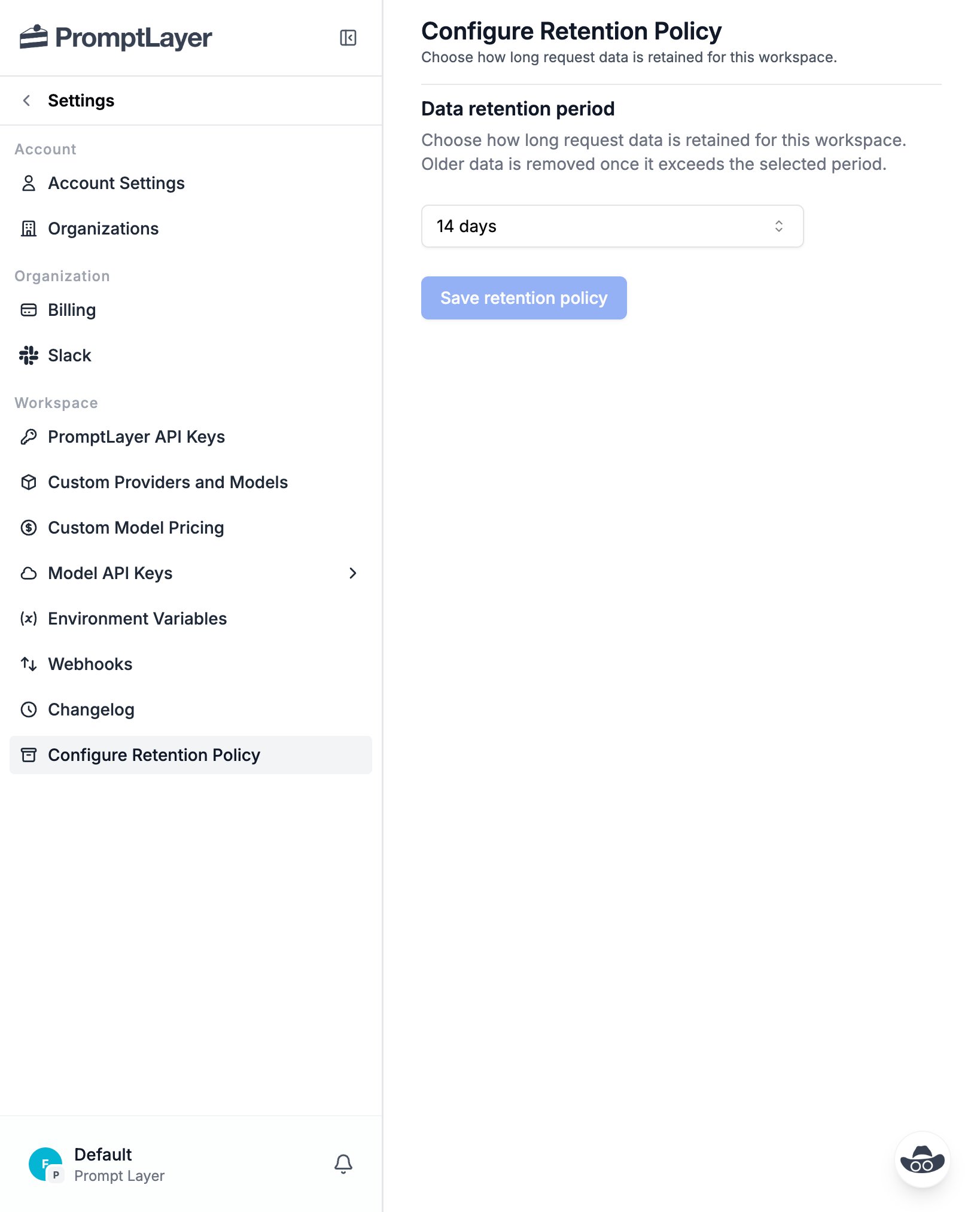
4. Click **Save retention policy**.
5. Review the change in the confirmation dialog, then click **Confirm Change**.
## Configuring the Policy
1. Open **Settings** for the workspace you want to configure.
2. Select **Configure Retention Policy** from the **Workspace** section.
3. Choose a retention period from the dropdown.
4. Click **Save retention policy**.
5. Review the change in the confirmation dialog, then click **Confirm Change**.
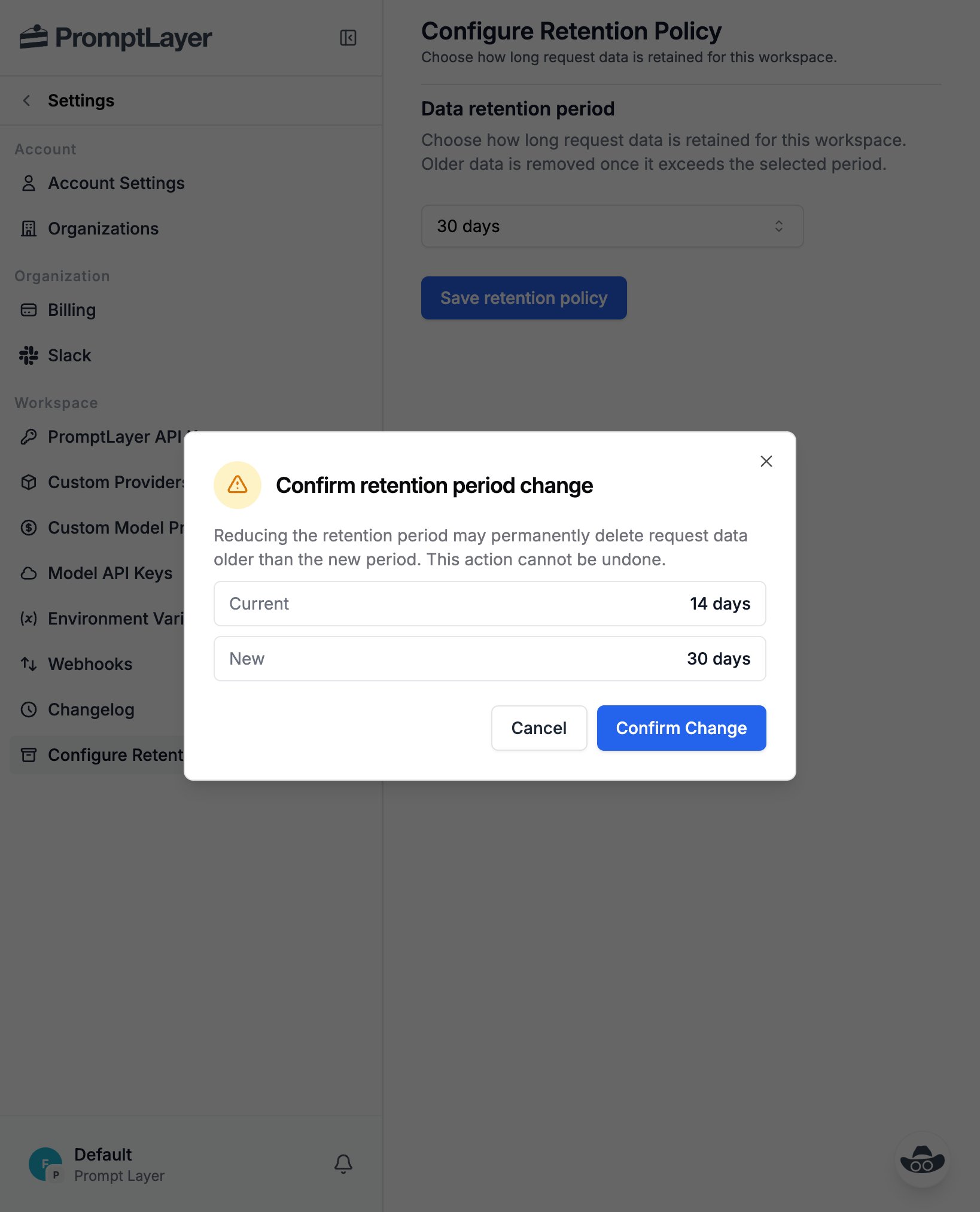
 The confirmation dialog shows your current period alongside the new one so you can double-check before applying it.
 Setting a finite period means data logged from that point on is permanently
deleted once it passes the window. Records already logged keep the retention
they were assigned and are not affected. Deletion cannot be undone.
Only workspace admins can change the retention policy. Other members can see
the current period, but the selector and **Save** button are disabled for
them.
## How Retention Applies
Retention is bound to each record **when it is logged**. The workspace's retention period at the time a request or trace is ingested determines when that record expires.
* Changing a workspace's policy only affects **newly ingested data**. Records already logged keep the retention they were assigned when they were written.
* Records on a finite period are hidden from search and views as soon as they pass their retention window, and are then permanently deleted in the background.
* Records logged under **Forever** never expire.
This means switching from Forever to a finite period does not retroactively shorten the lifetime of data you logged earlier — that older data is preserved.
## "Before retention policy" Records
When a workspace has always been on **Forever**, no policy has ever been set and nothing needs explaining. But once you enable a finite period, you may notice older records that predate that change still showing up in your logs and traces. These records were logged during the workspace's original "forever" era, so they are intentionally kept.
To make this clear, PromptLayer marks such records with a **Before retention policy** badge:
* On the **request log detail** page, next to the logged timestamp.
* On the **trace detail** page, next to the trace summary.
The badge indicates that the record was logged before this workspace set a retention policy, which is why it is still visible even though a retention policy is now enabled.
The badge only appears for workspaces that later configured a finite retention
period. Workspaces that have always been on Forever never show it.
## Best Practices
* **Match retention to your needs**: Use a finite period for high-volume or sensitive workspaces where you don't need long-lived history, and keep Forever where you rely on long-term analytics.
* **Change deliberately**: A finite period permanently deletes data once it ages out, so confirm the new period is correct before applying it.
* **Use separate workspaces**: If different projects have different retention requirements, isolate them in separate workspaces so each can carry its own policy.
## FAQ
Only workspace admins can change the retention policy. Other members can open the page and see the current period, but the selector and **Save** button are disabled for them.
No. Retention is assigned to each record when it is logged, based on the workspace's period at that time, and changing the policy never rewrites it. Records already logged keep the retention window they were assigned — even if you later switch to a shorter period. Lowering the period (for example 90 days → 14 days) therefore does **not** delete your existing logs; it only means data logged *after* the change expires on the shorter window.
It is first hidden from search and all workspace views as soon as it passes the window, then permanently deleted in the background. Deletion cannot be undone.
It marks records that were logged before this workspace ever set a retention policy — i.e. during its original "Forever" era. They remain visible even after a finite policy is enabled. The badge appears on the request log detail page and the trace detail page, and never shows for workspaces that have always been on Forever.
Yes. Retention is configured per workspace, so each workspace — even within the same organization — can carry its own period.
New workspaces start on **Forever**, so nothing is automatically removed until you choose a finite period (14, 30, or 90 days).
No. Once data ages out and is deleted it cannot be recovered, which is why the confirmation dialog warns you before applying a shorter period.
Setting a finite period means data logged from that point on is permanently
deleted once it passes the window. Records already logged keep the retention
they were assigned and are not affected. Deletion cannot be undone.
Only workspace admins can change the retention policy. Other members can see
the current period, but the selector and **Save** button are disabled for
them.
## How Retention Applies
Retention is bound to each record **when it is logged**. The workspace's retention period at the time a request or trace is ingested determines when that record expires.
* Changing a workspace's policy only affects **newly ingested data**. Records already logged keep the retention they were assigned when they were written.
* Records on a finite period are hidden from search and views as soon as they pass their retention window, and are then permanently deleted in the background.
* Records logged under **Forever** never expire.
This means switching from Forever to a finite period does not retroactively shorten the lifetime of data you logged earlier — that older data is preserved.
## "Before retention policy" Records
When a workspace has always been on **Forever**, no policy has ever been set and nothing needs explaining. But once you enable a finite period, you may notice older records that predate that change still showing up in your logs and traces. These records were logged during the workspace's original "forever" era, so they are intentionally kept.
To make this clear, PromptLayer marks such records with a **Before retention policy** badge:
* On the **request log detail** page, next to the logged timestamp.
* On the **trace detail** page, next to the trace summary.
The badge indicates that the record was logged before this workspace set a retention policy, which is why it is still visible even though a retention policy is now enabled.
The badge only appears for workspaces that later configured a finite retention
period. Workspaces that have always been on Forever never show it.
## Best Practices
* **Match retention to your needs**: Use a finite period for high-volume or sensitive workspaces where you don't need long-lived history, and keep Forever where you rely on long-term analytics.
* **Change deliberately**: A finite period permanently deletes data once it ages out, so confirm the new period is correct before applying it.
* **Use separate workspaces**: If different projects have different retention requirements, isolate them in separate workspaces so each can carry its own policy.
## FAQ
Only workspace admins can change the retention policy. Other members can open the page and see the current period, but the selector and **Save** button are disabled for them.
No. Retention is assigned to each record when it is logged, based on the workspace's period at that time, and changing the policy never rewrites it. Records already logged keep the retention window they were assigned — even if you later switch to a shorter period. Lowering the period (for example 90 days → 14 days) therefore does **not** delete your existing logs; it only means data logged *after* the change expires on the shorter window.
It is first hidden from search and all workspace views as soon as it passes the window, then permanently deleted in the background. Deletion cannot be undone.
It marks records that were logged before this workspace ever set a retention policy — i.e. during its original "Forever" era. They remain visible even after a finite policy is enabled. The badge appears on the request log detail page and the trace detail page, and never shows for workspaces that have always been on Forever.
Yes. Retention is configured per workspace, so each workspace — even within the same organization — can carry its own period.
New workspaces start on **Forever**, so nothing is automatically removed until you choose a finite period (14, 30, or 90 days).
No. Once data ages out and is deleted it cannot be recovered, which is why the confirmation dialog warns you before applying a shorter period.