> ## Documentation Index
> Fetch the complete documentation index at: https://docs.promptlayer.com/llms.txt
> Use this file to discover all available pages before exploring further.
# Advanced Search
PromptLayer advanced search capabilities allows you to find exactly what you want using tags, search queries, metadata, favorites, and score filtering.
## Using the Search Bar
To start your search, enter the keywords you want to find into the search bar and click on the "Search" button. You can use freeform search to find any text within the PromptLayer.
 ## Advanced Search Filters
#### Metadata Search
Use the metadata search filter to search for specific metadata within the PromptLayer. You can search for user IDs, session IDs, tokens, error messages, status codes, and other metadata by entering the metadata field name and value into the search bar.
PromptLayer allows you to attach multiple key value pairs as metadata to a request. In the dashboard, you can look up requests and analyze analytics using metadata. The method for adding metadata to a request can be found in our documentation [here](/features/prompt-history/metadata).
```python Python theme={null}
promptlayer_client.track.metadata(
request_id=pl_request_id,
metadata={
"user_id":"1abf2345f",
"session_id": "2cef2345f",
"error_message": "None"
}
)
```
```js JavaScript theme={null}
promptLayerClient.track.metadata({
request_id:pl_request_id,
metadata:{
"user_id":"1abf2345f",
"session_id": "2cef2345f",
"error_message": "None"
}
})
```
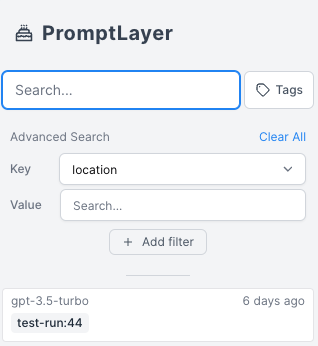
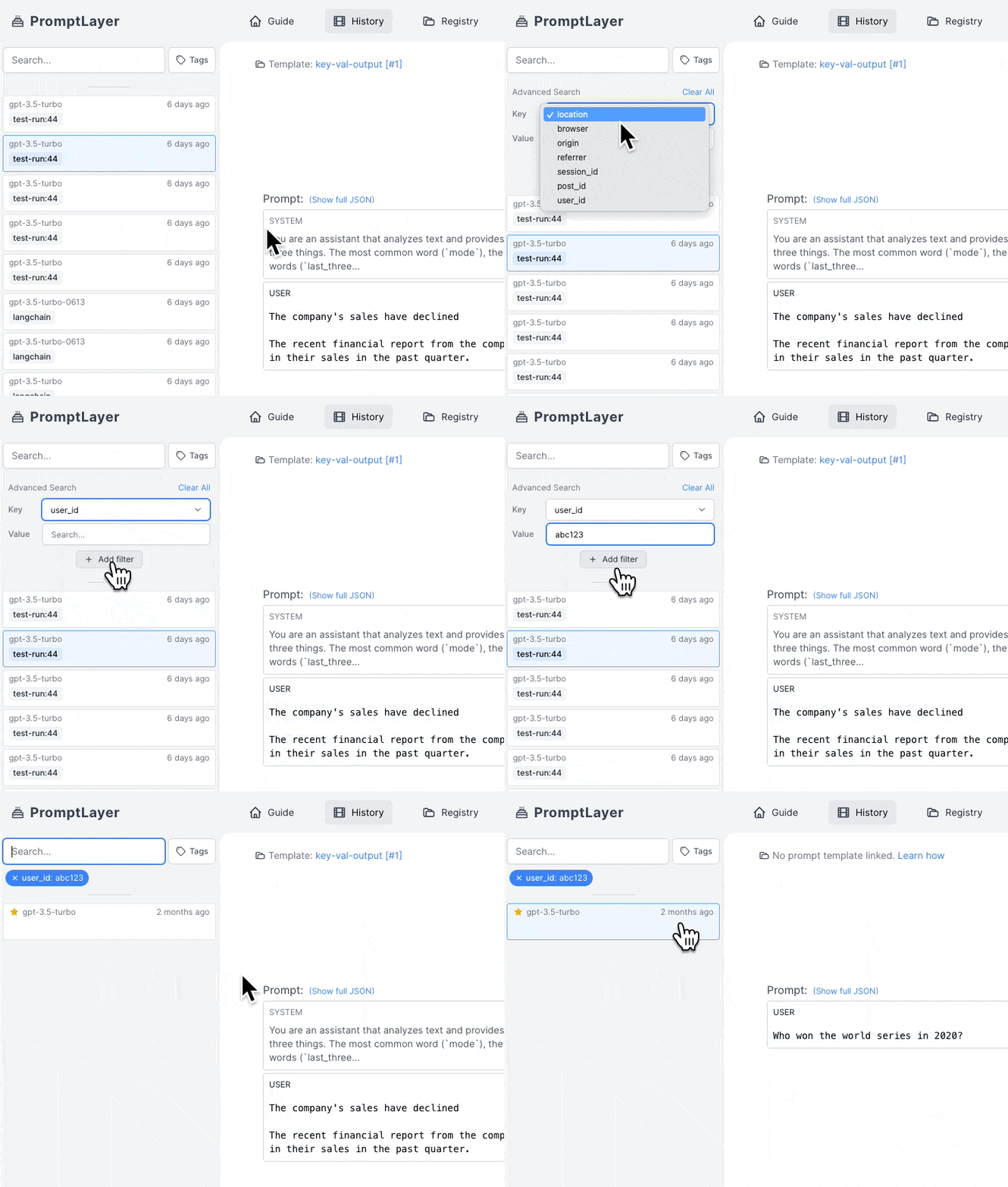
The metadata search filter works by clicking on "Key" in the advanced search filter, selecting the desired metadata key (in this case, user\_id), selecting the relevant value under "Value", and clicking "Add filter".
## Advanced Search Filters
#### Metadata Search
Use the metadata search filter to search for specific metadata within the PromptLayer. You can search for user IDs, session IDs, tokens, error messages, status codes, and other metadata by entering the metadata field name and value into the search bar.
PromptLayer allows you to attach multiple key value pairs as metadata to a request. In the dashboard, you can look up requests and analyze analytics using metadata. The method for adding metadata to a request can be found in our documentation [here](/features/prompt-history/metadata).
```python Python theme={null}
promptlayer_client.track.metadata(
request_id=pl_request_id,
metadata={
"user_id":"1abf2345f",
"session_id": "2cef2345f",
"error_message": "None"
}
)
```
```js JavaScript theme={null}
promptLayerClient.track.metadata({
request_id:pl_request_id,
metadata:{
"user_id":"1abf2345f",
"session_id": "2cef2345f",
"error_message": "None"
}
})
```
The metadata search filter works by clicking on "Key" in the advanced search filter, selecting the desired metadata key (in this case, user\_id), selecting the relevant value under "Value", and clicking "Add filter".
 #### Score Filtering
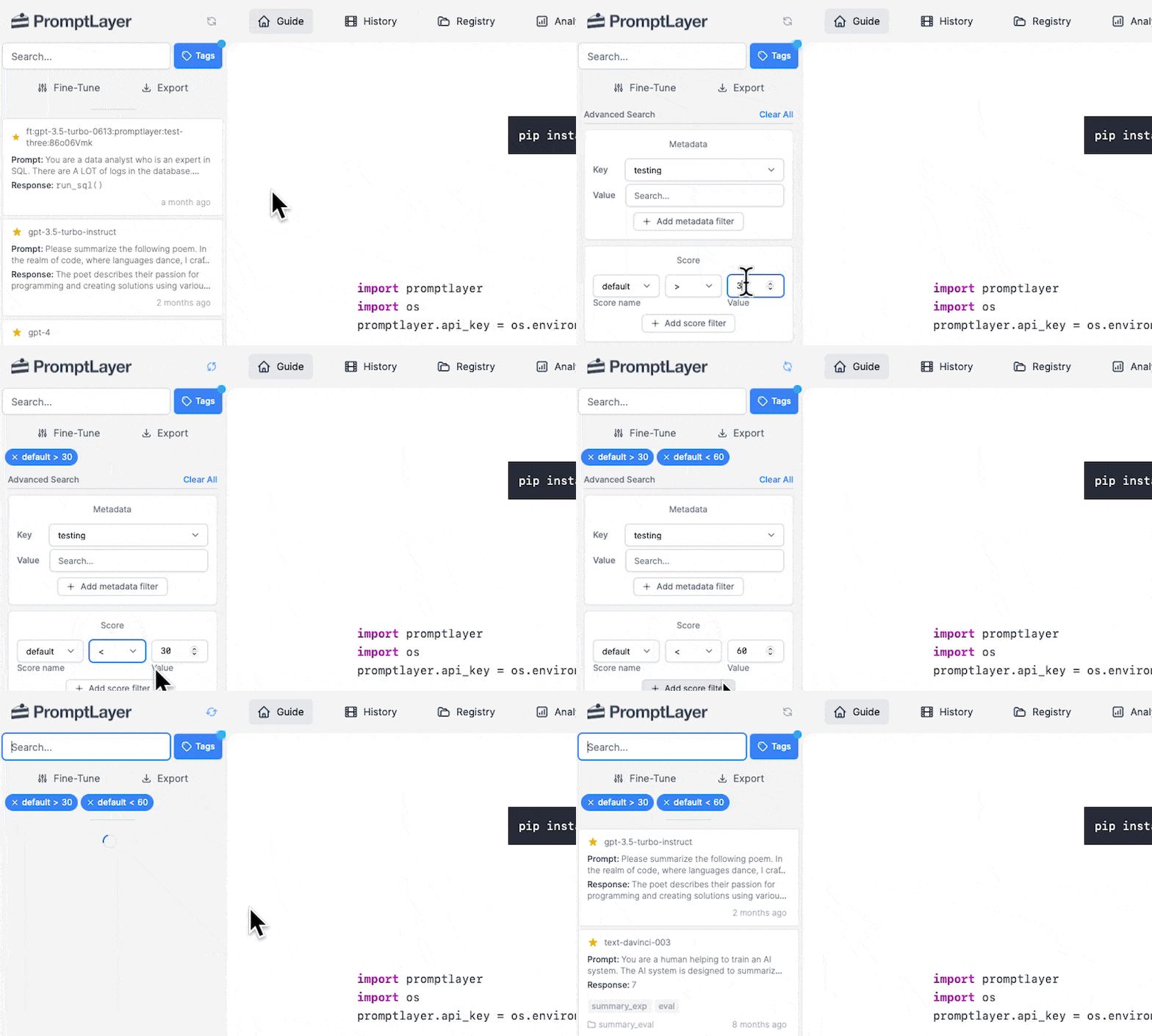
Use the score filtering feature to search for prompts based on their scores. You can filter prompts by selecting the score range in the "Score" dropdown.
Score filtering is a powerful tool for analyzing the performance of your prompts. You can use it to identify high-performing prompts, or to find prompts that may need improvement.
#### Score Filtering
Use the score filtering feature to search for prompts based on their scores. You can filter prompts by selecting the score range in the "Score" dropdown.
Score filtering is a powerful tool for analyzing the performance of your prompts. You can use it to identify high-performing prompts, or to find prompts that may need improvement.
 Below is an example of how you can score a request programmatically. It can also be done through the dashboard as shown [here](/features/prompt-history/scoring-requests).
```python Python theme={null}
promptlayer_client.track.score(
request_id=pl_request_id,
score_name="summarization", # optional score name
score=100
)
```
```js JavaScript theme={null}
promptLayerClient.track.score({
request_id: pl_request_id,
score: 100
})
```
#### Tags Search
Use the tags search filter to search for specific tags within the PromptLayer.
Tags are used to group product features, prod/dev versions, and other categories. You can search for tags by selecting them in the "Tags" dropdown.
Tagging a request is easy. Read more about it [here](/features/prompt-history/tagging-requests).
```python Python theme={null}
from promptlayer import PromptLayer
pl_client = PromptLayer()
response = pl_client.run(
prompt_name="my-prompt",
input_variables={"name": "world"},
tags=["mytag1", "mytag2"]
)
```
```js JavaScript theme={null}
import { PromptLayer } from "promptlayer";
const plClient = new PromptLayer();
const response = await plClient.run({
promptName: "my-prompt",
inputVariables: { name: "world" },
tags: ["mytag1", "mytag2"]
});
```
#### Favorites
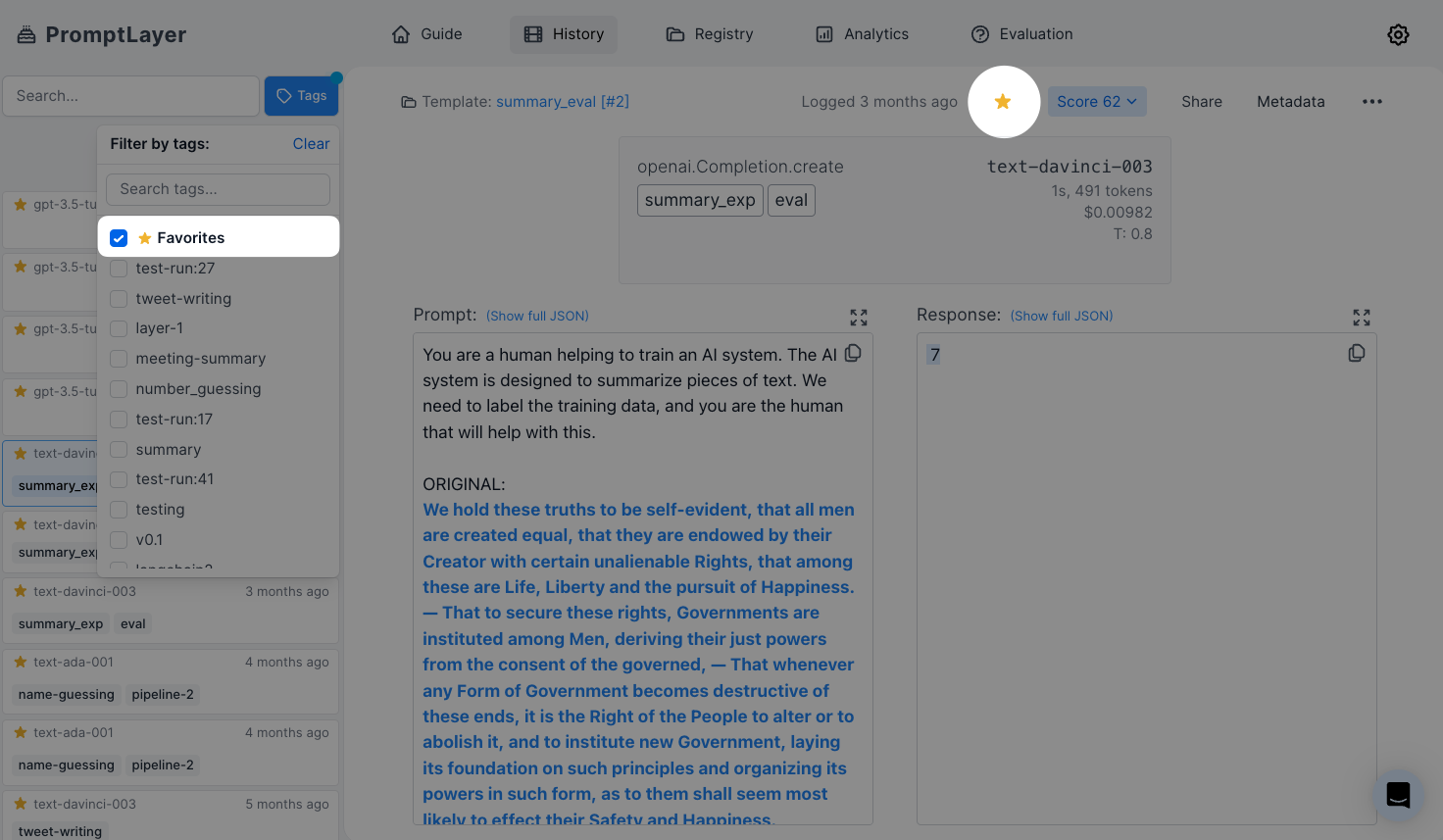
By selecting the "favorite" tag, you can narrow by favorited requests. To favorite a request, click the star on the top right on the dashboard.
Below is an example of how you can score a request programmatically. It can also be done through the dashboard as shown [here](/features/prompt-history/scoring-requests).
```python Python theme={null}
promptlayer_client.track.score(
request_id=pl_request_id,
score_name="summarization", # optional score name
score=100
)
```
```js JavaScript theme={null}
promptLayerClient.track.score({
request_id: pl_request_id,
score: 100
})
```
#### Tags Search
Use the tags search filter to search for specific tags within the PromptLayer.
Tags are used to group product features, prod/dev versions, and other categories. You can search for tags by selecting them in the "Tags" dropdown.
Tagging a request is easy. Read more about it [here](/features/prompt-history/tagging-requests).
```python Python theme={null}
from promptlayer import PromptLayer
pl_client = PromptLayer()
response = pl_client.run(
prompt_name="my-prompt",
input_variables={"name": "world"},
tags=["mytag1", "mytag2"]
)
```
```js JavaScript theme={null}
import { PromptLayer } from "promptlayer";
const plClient = new PromptLayer();
const response = await plClient.run({
promptName: "my-prompt",
inputVariables: { name: "world" },
tags: ["mytag1", "mytag2"]
});
```
#### Favorites
By selecting the "favorite" tag, you can narrow by favorited requests. To favorite a request, click the star on the top right on the dashboard.