> ## Documentation Index
> Fetch the complete documentation index at: https://docs.promptlayer.com/llms.txt
> Use this file to discover all available pages before exploring further.
# Sharing and remixing collections
> Publish a read-only link to a Skill Collection so others can view, remix, or pull it into their own workspace.
Use shared Skill Collections when you want other people to **inspect**, **remix**, or **pull** your agent setup without giving them access to your private workspace.
## Share a public version
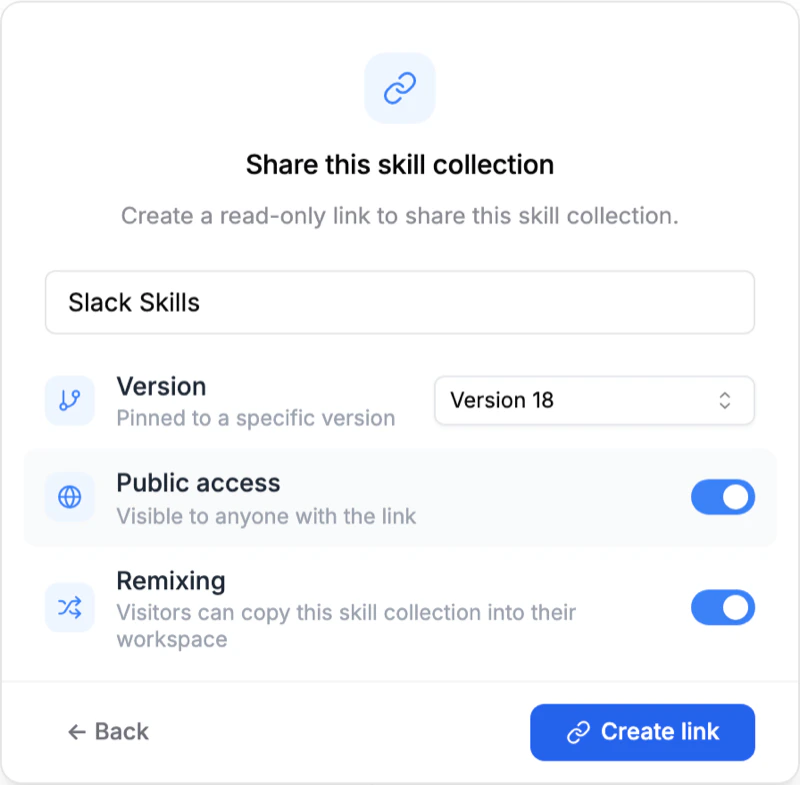
Open a saved Skill Collection version in the dashboard and click **Share**. PromptLayer opens a dialog where you can publish a public link and decide whether **Remix** should be available.
 Shared pages are read-only. Viewers can browse the collection, download it as
a zip, and copy it, but they cannot edit the original collection in your
workspace.
## What viewers see on the shared page
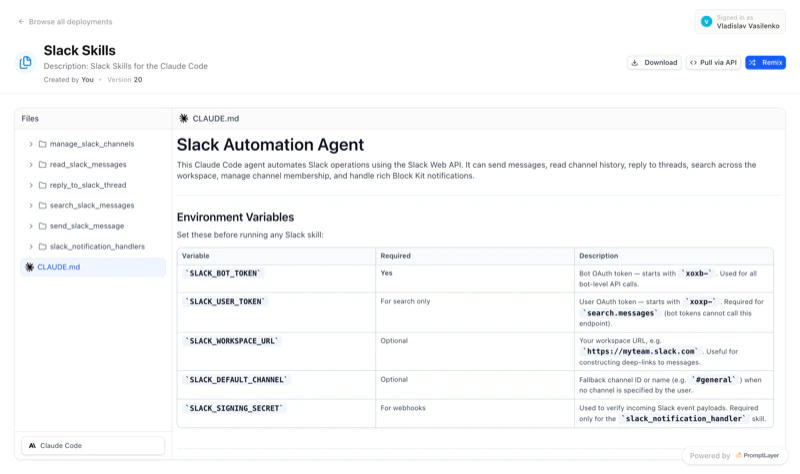
The public page shows the collection's file tree and file contents so someone can understand the layout before they install or copy it.
Shared pages are read-only. Viewers can browse the collection, download it as
a zip, and copy it, but they cannot edit the original collection in your
workspace.
## What viewers see on the shared page
The public page shows the collection's file tree and file contents so someone can understand the layout before they install or copy it.
 This works well for starter kits, team playbooks, example agent setups, or public templates you want others to learn from.
## Let others remix your collection
If you enable **Remix**, people viewing the shared page can copy the collection into their own workspace and start editing from there.
This works well for starter kits, team playbooks, example agent setups, or public templates you want others to learn from.
## Let others remix your collection
If you enable **Remix**, people viewing the shared page can copy the collection into their own workspace and start editing from there.
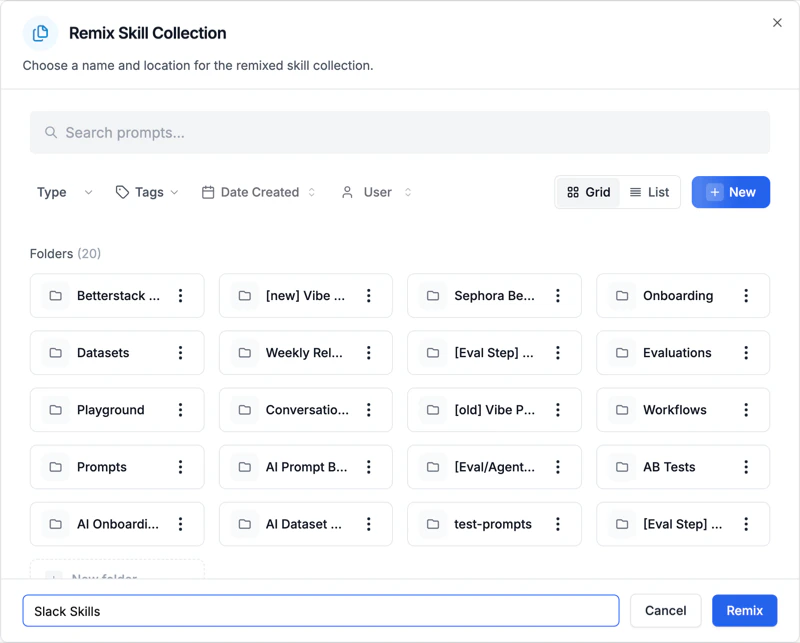 A remix creates a separate Skill Collection owned by the destination workspace. After that, the new owner can rename skills, adjust frontmatter, switch providers, and publish their own versions without changing the original.
## Typical use cases
* Publish an opinionated starter collection for new repositories.
* Share a reference agent setup that customers can adapt to their stack.
* Distribute internal best practices across teams without handing out workspace access.
* Pair public sharing with pinned pulls so downstream projects load a stable version.
A remix creates a separate Skill Collection owned by the destination workspace. After that, the new owner can rename skills, adjust frontmatter, switch providers, and publish their own versions without changing the original.
## Typical use cases
* Publish an opinionated starter collection for new repositories.
* Share a reference agent setup that customers can adapt to their stack.
* Distribute internal best practices across teams without handing out workspace access.
* Pair public sharing with pinned pulls so downstream projects load a stable version.