> ## Documentation Index
> Fetch the complete documentation index at: https://docs.promptlayer.com/llms.txt
> Use this file to discover all available pages before exploring further.
# Tracking Templates
PromptLayer allows you to track prompt template usage, latency, cost, and more. This is done by associating a request with a prompt template as shown below.
[Endpoint Reference](/reference/track-prompt)
To associate requests with a prompt from the prompt registry, run the code
```python Python theme={null}
promptlayer_client.track.prompt(
request_id=pl_request_id,
prompt_name="example-2",
prompt_input_variables=input_variables,
version=2
)
```
```js JavaScript theme={null}
promptLayerClient.track.prompt({
request_id: pl_request_id,
prompt_name: "example-2",
prompt_input_variables: input_variables,
version: 2
})
```
```bash REST theme={null}
curl --request POST \
--url https://api.promptlayer.com/rest/track-prompt \
--header 'Content-Type: application/json' \
--header 'X-API-KEY: pl_' \
--data '{
"request_id": "",
"prompt_name": "",
"prompt_input_variables": ,
"version":
}'
```
Where `prompt_name` is a prompt in your prompt registry, `prompt_input_variables` is a dictionary corresponding to the input variables you formatted the prompt with, and `version` is the version of the prompt you are trying to track. `version` is optional, by default it will track the newest version of the prompt.
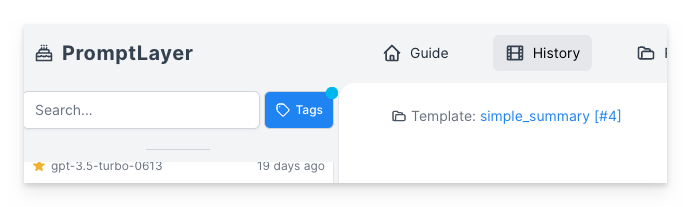
This information will appear on your dashboard under your request and prompt template pages.
 You can also use prompt [template release labels](/features/prompt-registry#release-labels) instead of a version number.
```python Python theme={null}
promptlayer_client.track.prompt(
request_id=pl_request_id,
prompt_name="example-2",
prompt_input_variables=input_variables,
label="prod"
)
```
```js JavaScript theme={null}
promptLayerClient.track.prompt({
request_id: pl_request_id,
prompt_name: "example-2",
prompt_input_variables: input_variables,
label: "prod"
})
```
```bash REST theme={null}
curl --request POST \
--url https://api.promptlayer.com/rest/track-prompt \
--header 'Content-Type: application/json' \
--header 'X-API-KEY: pl_' \
--data '{
"request_id": "",
"prompt_name": "",
"prompt_input_variables": ,
"label": ""
}'
```
You can also use prompt [template release labels](/features/prompt-registry#release-labels) instead of a version number.
```python Python theme={null}
promptlayer_client.track.prompt(
request_id=pl_request_id,
prompt_name="example-2",
prompt_input_variables=input_variables,
label="prod"
)
```
```js JavaScript theme={null}
promptLayerClient.track.prompt({
request_id: pl_request_id,
prompt_name: "example-2",
prompt_input_variables: input_variables,
label: "prod"
})
```
```bash REST theme={null}
curl --request POST \
--url https://api.promptlayer.com/rest/track-prompt \
--header 'Content-Type: application/json' \
--header 'X-API-KEY: pl_' \
--data '{
"request_id": "",
"prompt_name": "",
"prompt_input_variables": ,
"label": ""
}'
```