> ## Documentation Index
> Fetch the complete documentation index at: https://docs.promptlayer.com/llms.txt
> Use this file to discover all available pages before exploring further.
# Sharing Requests
Often you may find yourself collaborating on prompts with other stakeholders. PromptLayer allows you to share prompts that were logged on our system easily.
To do this, navigate to the dashboard and find the prompt you want to share:
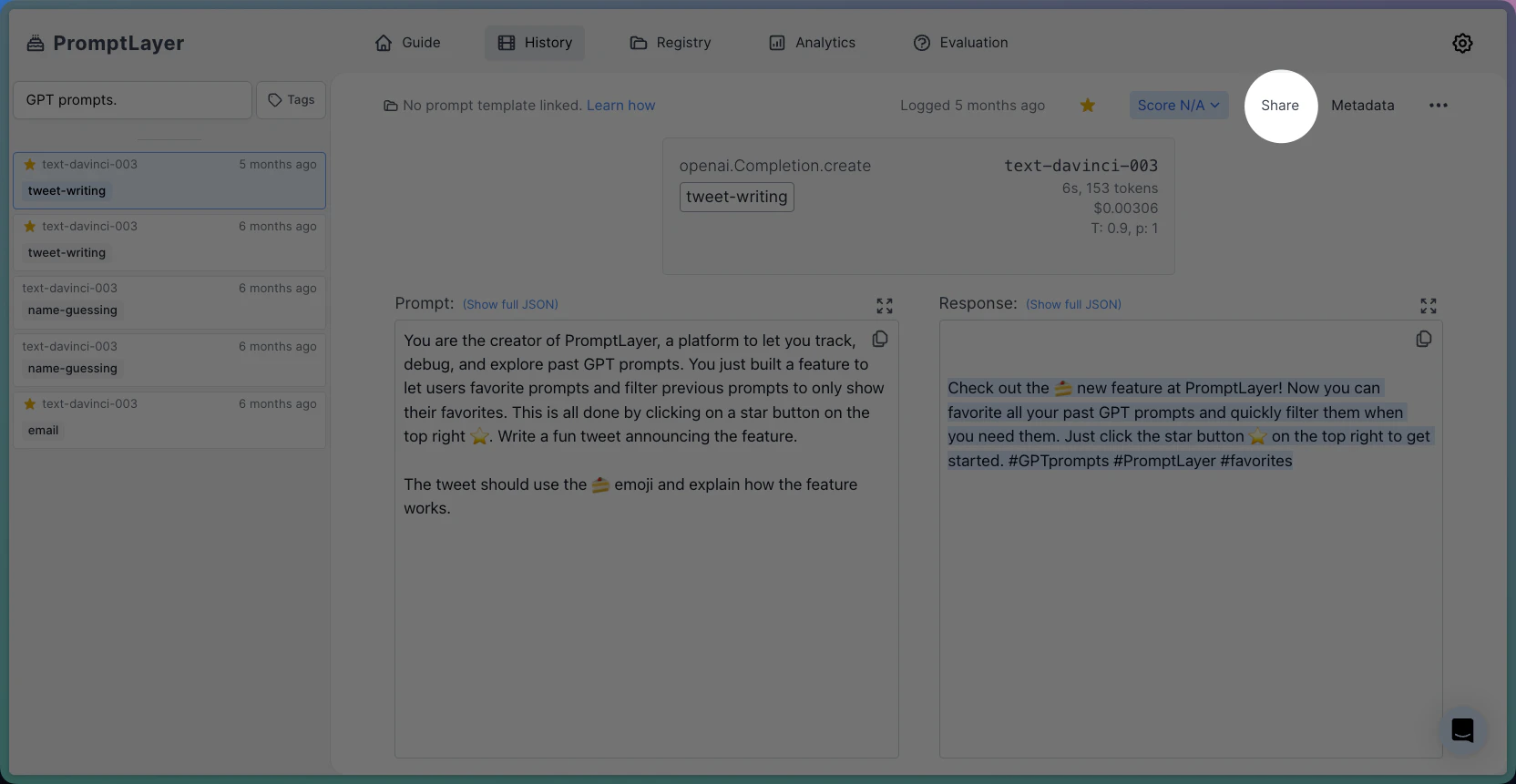 In the top right-hand corner, select the share button and click on the tab to make your prompt public:
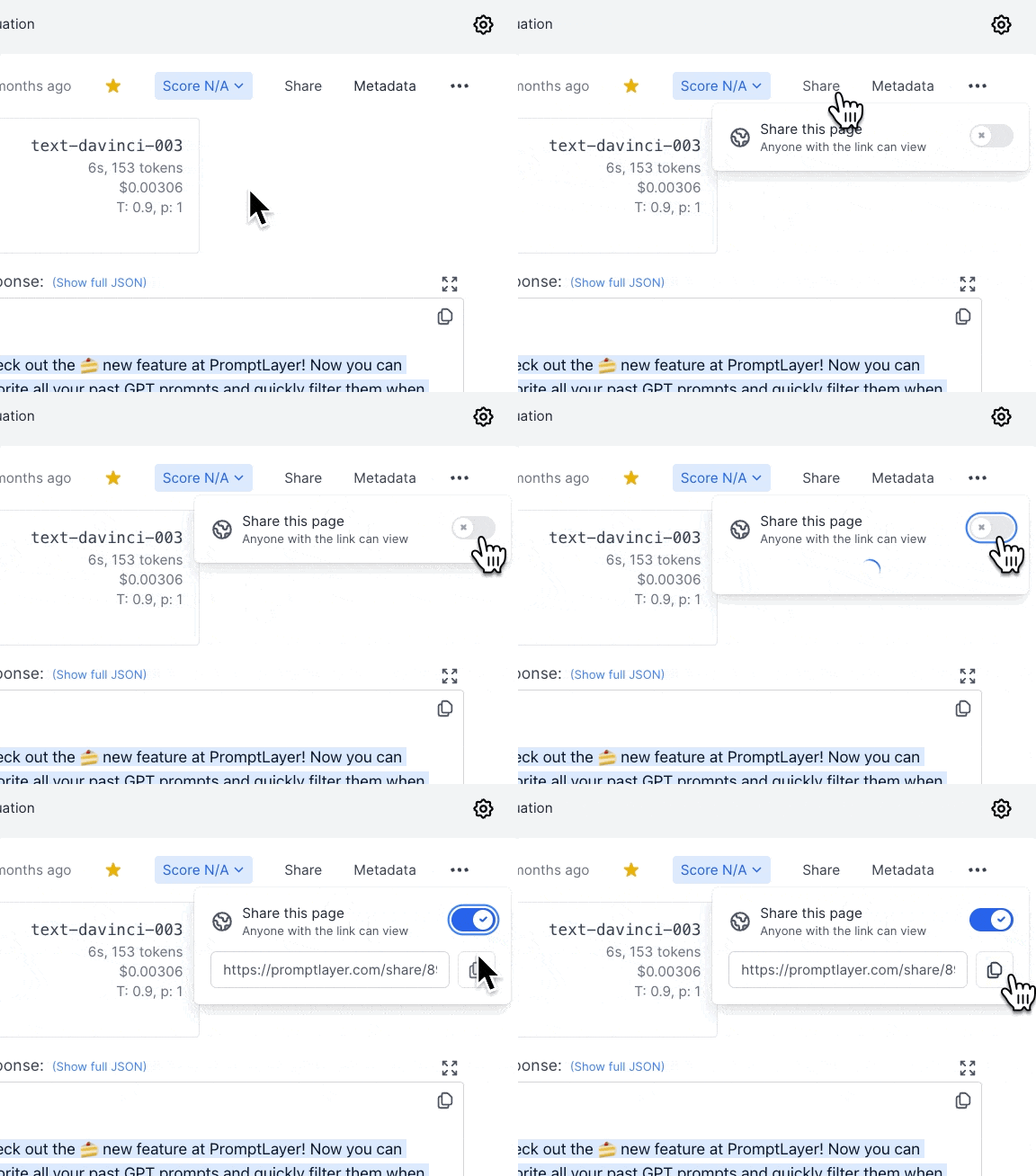 *Copy that link, and you are good to go!*
Here is a link to the shared prompt from this tutorial: [https://promptlayer.com/share/89cb2cbf2e8b42a341bcd1da5443f65d](https://promptlayer.com/share/89cb2cbf2e8b42a341bcd1da5443f65d)
***
Want to say hi 👋 , submit a feature request, or report a bug? [✉️ Contact us](mailto:hello@magniv.io)
*Copy that link, and you are good to go!*
Here is a link to the shared prompt from this tutorial: [https://promptlayer.com/share/89cb2cbf2e8b42a341bcd1da5443f65d](https://promptlayer.com/share/89cb2cbf2e8b42a341bcd1da5443f65d)
***
Want to say hi 👋 , submit a feature request, or report a bug? [✉️ Contact us](mailto:hello@magniv.io)