> ## Documentation Index
> Fetch the complete documentation index at: https://docs.promptlayer.com/llms.txt
> Use this file to discover all available pages before exploring further.
# Score Requests
Every PromptLayer request can be given an integer score 0-100.
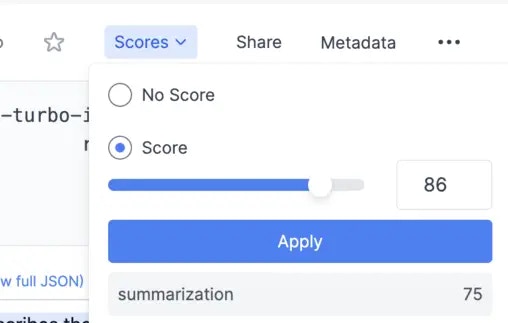 To associate a score with a prompt, you can either do this visually from the dashboard or programmatically.
By default, an individual score is named default. You can enrich a request with multiple scores using "named scores" as shown below.
[Endpoint Reference](/reference/track-score)
```python Python theme={null}
# named score
promptlayer_client.track.score(
request_id=pl_request_id,
score_name="summarization",
score=100
)
# default score
promptlayer_client.track.score(
request_id=pl_request_id,
# score_name="default",
score=100
)
```
```js JavaScript theme={null}
promptLayerClient.track.score({
request_id: pl_request_id,
score: 100
})
```
```bash REST theme={null}
curl --request POST \
--url https://api.promptlayer.com/rest/track-score \
--header 'Content-Type: application/json' \
--header 'X-API-KEY: pl_' \
--data '{
"request_id": "",
"score": ,
"name":
}'
```
To associate a score with a prompt, you can either do this visually from the dashboard or programmatically.
By default, an individual score is named default. You can enrich a request with multiple scores using "named scores" as shown below.
[Endpoint Reference](/reference/track-score)
```python Python theme={null}
# named score
promptlayer_client.track.score(
request_id=pl_request_id,
score_name="summarization",
score=100
)
# default score
promptlayer_client.track.score(
request_id=pl_request_id,
# score_name="default",
score=100
)
```
```js JavaScript theme={null}
promptLayerClient.track.score({
request_id: pl_request_id,
score: 100
})
```
```bash REST theme={null}
curl --request POST \
--url https://api.promptlayer.com/rest/track-score \
--header 'Content-Type: application/json' \
--header 'X-API-KEY: pl_' \
--data '{
"request_id": "",
"score": ,
"name":
}'
```