> ## Documentation Index
> Fetch the complete documentation index at: https://docs.promptlayer.com/llms.txt
> Use this file to discover all available pages before exploring further.
# Request IDs
Every PromptLayer log has a unique PromptLayer Request ID (`pl_id`).
All tracking in PromptLayer is based on the `pl_request_id`. This identifier is needed to enrich logs with [metadata](/features/prompt-history/metadata), [scores](/features/prompt-history/scoring-requests), [associated prompt templates](/features/prompt-history/tracking-templates), and more. You can also use it to [retrieve the full request payload](/reference/get-request) as a prompt blueprint.
You can quickly grab a request ID from the web UI as shown below.
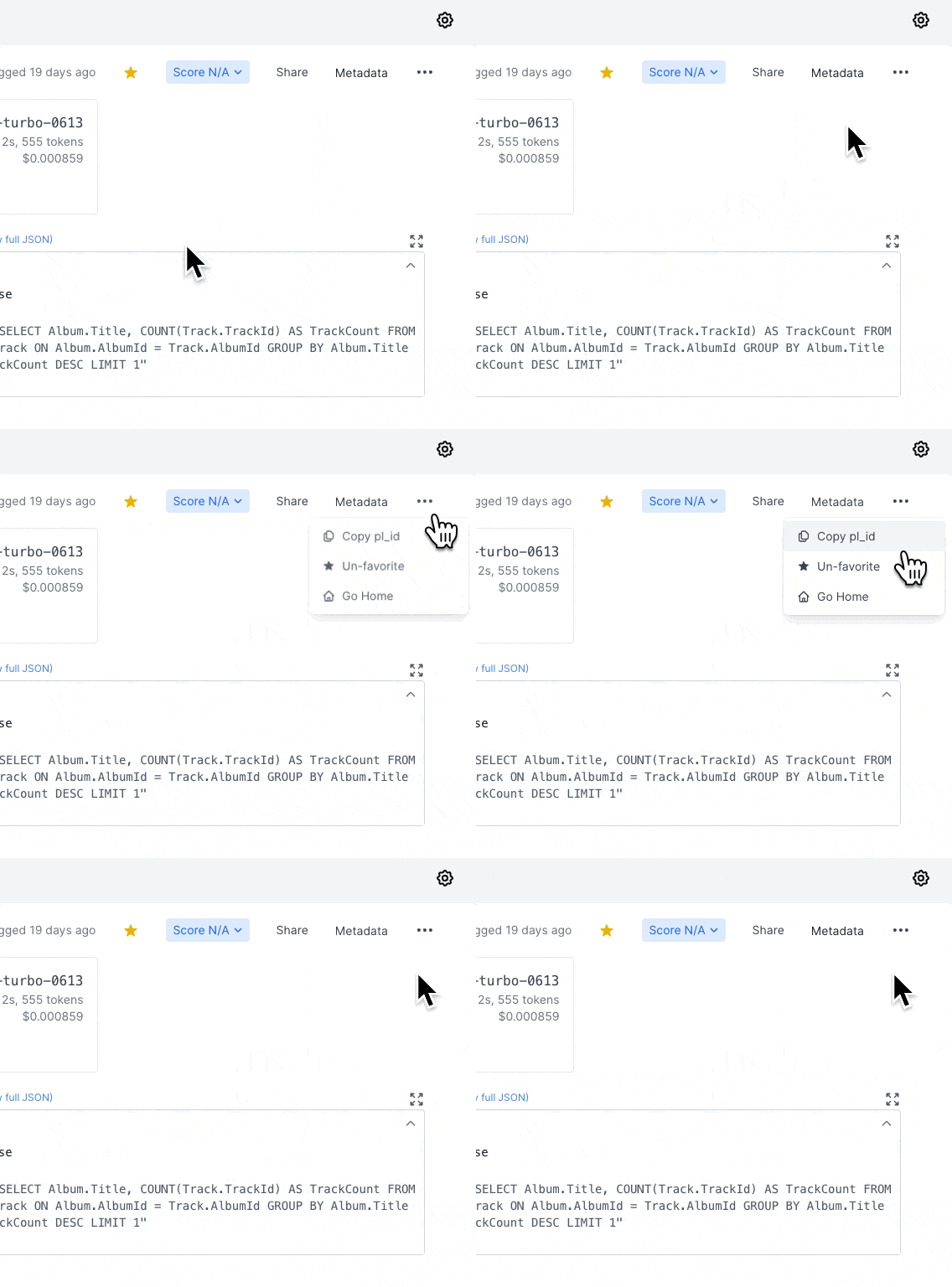 Specific instructions for retrieving the ID programmatically are below.
## REST API
The `pl_request_id` is returned as `request_id` in the case of a successful request when using the `REST api` with `/log-request`. This means that `request_id` will be a key in the object returned by a successful logged response.
[Learn more](/reference/log-request)
## Using the `run` Method
The `run()` method returns the `request_id` directly in the response object. This is the recommended way to retrieve the `pl_request_id`.
```python Python theme={null}
from promptlayer import PromptLayer
promptlayer_client = PromptLayer()
response = promptlayer_client.run(
prompt_name="my-prompt",
input_variables={"name": "Alice"}
)
pl_request_id = response["request_id"]
print(pl_request_id)
```
```js JavaScript theme={null}
import { PromptLayer } from "promptlayer";
const promptLayerClient = new PromptLayer();
const response = await promptLayerClient.run({
promptName: "my-prompt",
inputVariables: { name: "Alice" }
});
const plRequestId = response.request_id;
console.log(plRequestId);
```
## Using the `log_request` Method
When using `log_request` for custom logging, the method returns the `request_id` in its response.
```python Python theme={null}
from promptlayer import PromptLayer
pl_client = PromptLayer()
result = pl_client.log_request(
provider="openai",
model="gpt-4o",
input=input_blueprint,
output=output_blueprint,
request_start_time=start_time,
request_end_time=end_time
)
pl_request_id = result["request_id"]
```
```js JavaScript theme={null}
import { PromptLayer } from "promptlayer";
const plClient = new PromptLayer();
const result = await plClient.logRequest({
provider: "openai",
model: "gpt-4o",
input: inputBlueprint,
output: outputBlueprint,
requestStartTime: startTime,
requestEndTime: endTime
});
const plRequestId = result.request_id;
```
Specific instructions for retrieving the ID programmatically are below.
## REST API
The `pl_request_id` is returned as `request_id` in the case of a successful request when using the `REST api` with `/log-request`. This means that `request_id` will be a key in the object returned by a successful logged response.
[Learn more](/reference/log-request)
## Using the `run` Method
The `run()` method returns the `request_id` directly in the response object. This is the recommended way to retrieve the `pl_request_id`.
```python Python theme={null}
from promptlayer import PromptLayer
promptlayer_client = PromptLayer()
response = promptlayer_client.run(
prompt_name="my-prompt",
input_variables={"name": "Alice"}
)
pl_request_id = response["request_id"]
print(pl_request_id)
```
```js JavaScript theme={null}
import { PromptLayer } from "promptlayer";
const promptLayerClient = new PromptLayer();
const response = await promptLayerClient.run({
promptName: "my-prompt",
inputVariables: { name: "Alice" }
});
const plRequestId = response.request_id;
console.log(plRequestId);
```
## Using the `log_request` Method
When using `log_request` for custom logging, the method returns the `request_id` in its response.
```python Python theme={null}
from promptlayer import PromptLayer
pl_client = PromptLayer()
result = pl_client.log_request(
provider="openai",
model="gpt-4o",
input=input_blueprint,
output=output_blueprint,
request_start_time=start_time,
request_end_time=end_time
)
pl_request_id = result["request_id"]
```
```js JavaScript theme={null}
import { PromptLayer } from "promptlayer";
const plClient = new PromptLayer();
const result = await plClient.logRequest({
provider: "openai",
model: "gpt-4o",
input: inputBlueprint,
output: outputBlueprint,
requestStartTime: startTime,
requestEndTime: endTime
});
const plRequestId = result.request_id;
```