> ## Documentation Index
> Fetch the complete documentation index at: https://docs.promptlayer.com/llms.txt
> Use this file to discover all available pages before exploring further.
# Create from History
Legacy Evaluations, Reports, and Datasets are deprecated for new workflows. Use [Tables](/features/tables/overview) for new evaluation, dataset, report, backtesting, and batch workflows. See [Migrate from Evaluations and Datasets](/features/tables/migrate-from-evaluations-and-datasets).
Use request history when you want to build datasets from real production or staging traffic. This is a strong fit for backtesting, regression testing, and creating evaluation sets from the prompts, metadata, and outcomes your system has already seen.
Creating a dataset from history is straightforward using the Dataset dialog. PromptLayer can build a dataset from your request history, including metadata, input variable context, tags, and the request response. This is especially useful when you want to evaluate a new prompt version against real historical examples.
Go to **Datasets** and click **Add from Request History**. This opens a request log browser where you can filter and select requests.
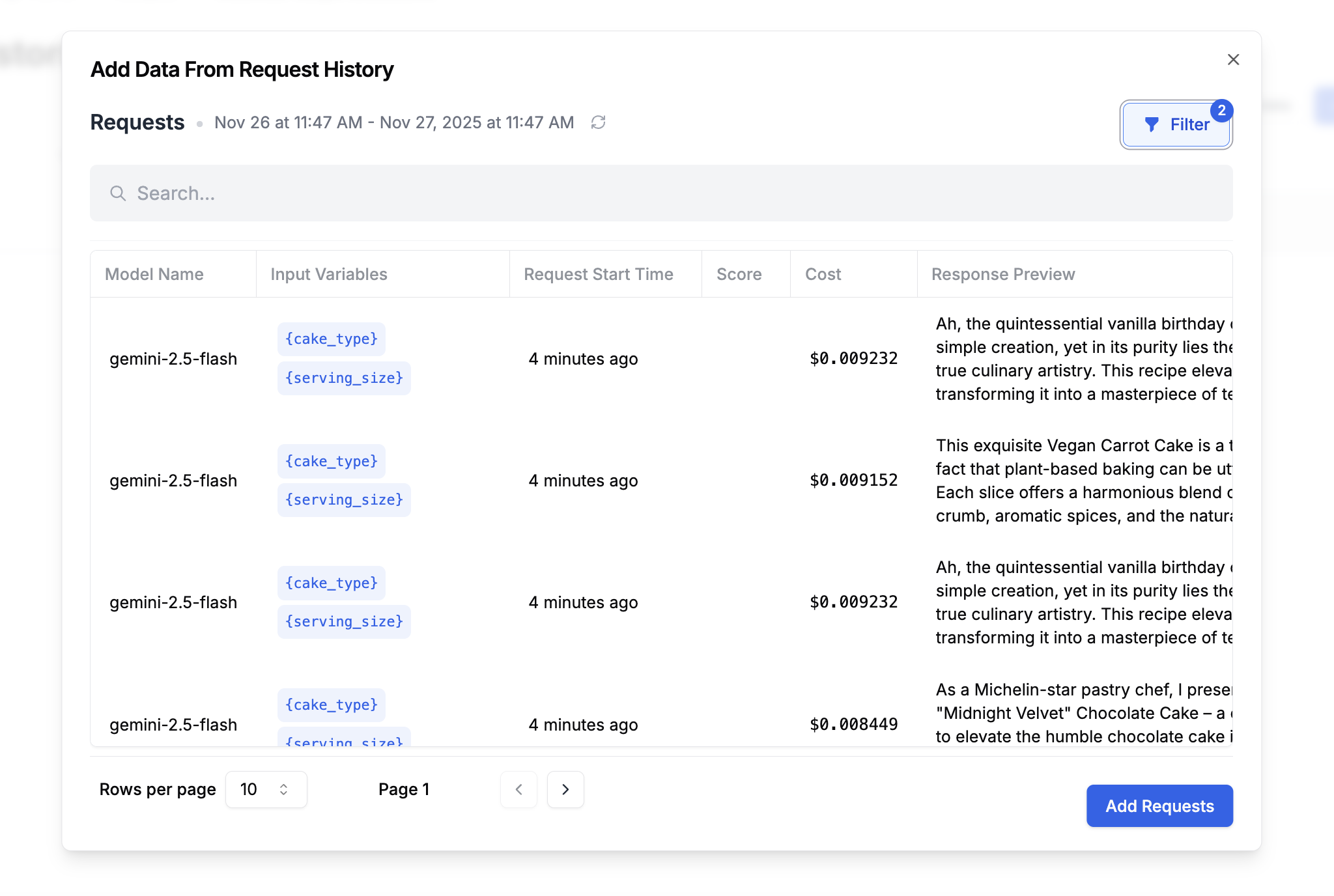 When creating a dataset from history, you can narrow what gets included by filtering on:
* Time range
* Metadata key-value pairs
* Prompt templates and version numbers
* Search query
* Scores
* Tags
After you save the dataset, use it in an evaluation pipeline to backtest a new prompt version against real historical inputs. See [Backtest Prompt Changes](/onboarding-guides/backtesting-prompt-changes).
## Related REST APIs
* [Create Dataset Group](/reference/create-dataset-group) - Create the dataset group that will contain your draft and saved versions.
* [Create Dataset Version from Request History](/reference/create-dataset-version-from-filter-params) - Recommended direct path for creating a dataset version from filtered request logs.
* [Create Draft Dataset Version](/reference/create-draft-dataset-version) - Start a draft dataset manually when you want a more controlled, multi-step workflow.
* [Add Request Log to Dataset](/reference/add-request-log-to-dataset) - Add individual request logs to a draft dataset as rows.
* [Save Draft Dataset Version](/reference/save-draft-dataset-version) - Publish the draft as a saved dataset version.
* [Get Dataset Rows](/reference/get-dataset-rows) - Inspect the rows in the resulting dataset version.
The filter-params endpoint is the recommended way to create a dataset from history in one step. The draft, add-request-log, and save-draft endpoints support a more advanced manual workflow when you want precise control over how rows are assembled.
When creating a dataset from history, you can narrow what gets included by filtering on:
* Time range
* Metadata key-value pairs
* Prompt templates and version numbers
* Search query
* Scores
* Tags
After you save the dataset, use it in an evaluation pipeline to backtest a new prompt version against real historical inputs. See [Backtest Prompt Changes](/onboarding-guides/backtesting-prompt-changes).
## Related REST APIs
* [Create Dataset Group](/reference/create-dataset-group) - Create the dataset group that will contain your draft and saved versions.
* [Create Dataset Version from Request History](/reference/create-dataset-version-from-filter-params) - Recommended direct path for creating a dataset version from filtered request logs.
* [Create Draft Dataset Version](/reference/create-draft-dataset-version) - Start a draft dataset manually when you want a more controlled, multi-step workflow.
* [Add Request Log to Dataset](/reference/add-request-log-to-dataset) - Add individual request logs to a draft dataset as rows.
* [Save Draft Dataset Version](/reference/save-draft-dataset-version) - Publish the draft as a saved dataset version.
* [Get Dataset Rows](/reference/get-dataset-rows) - Inspect the rows in the resulting dataset version.
The filter-params endpoint is the recommended way to create a dataset from history in one step. The draft, add-request-log, and save-draft endpoints support a more advanced manual workflow when you want precise control over how rows are assembled.