> ## Documentation Index
> Fetch the complete documentation index at: https://docs.promptlayer.com/llms.txt
> Use this file to discover all available pages before exploring further.
# Configure Providers
> Connect OpenAI-compatible providers and custom models to PromptLayer.
Custom providers let you connect to additional LLM providers beyond the built-in options, including DeepSeek, Grok, and more!
## Setting Up a Custom Provider
To add a custom provider to your workspace:
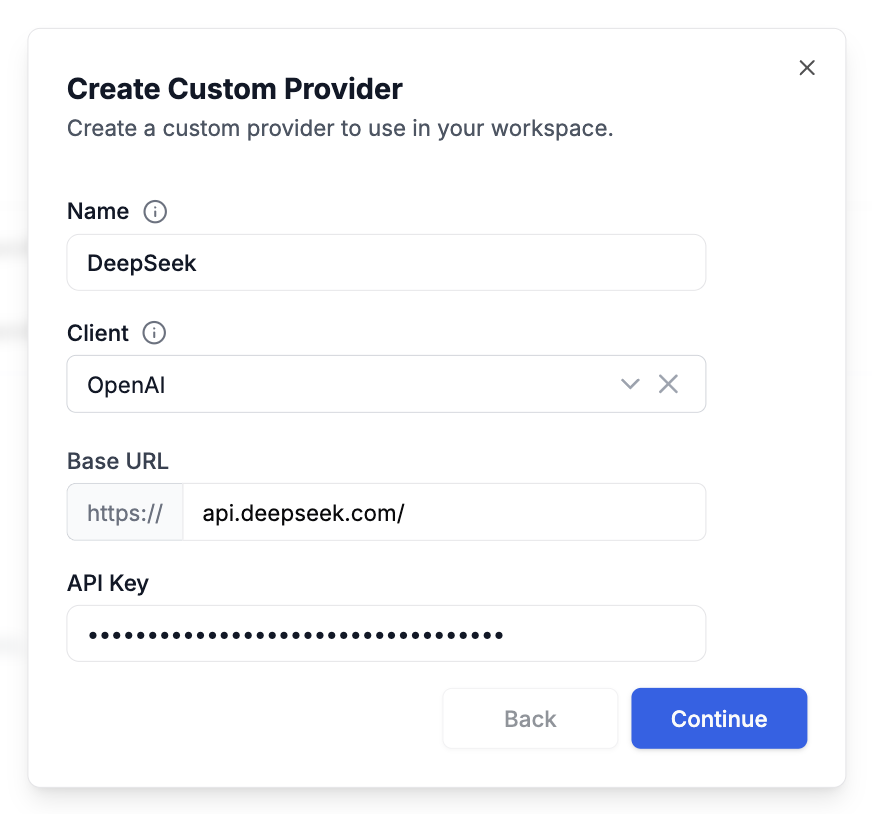
1. Navigate to **Settings → Custom Providers and Models**
2. Click the **Add Custom Provider** button
3. Configure the provider with the following details:
* **Name**: A descriptive name for your provider (e.g., "DeepSeek")
* **Client**: Select the appropriate client type for your provider's base URL
* **Base URL**: The endpoint URL for your custom provider
* **API Key**
 ## Creating Custom Models
Once your provider is configured, you can define models for it:
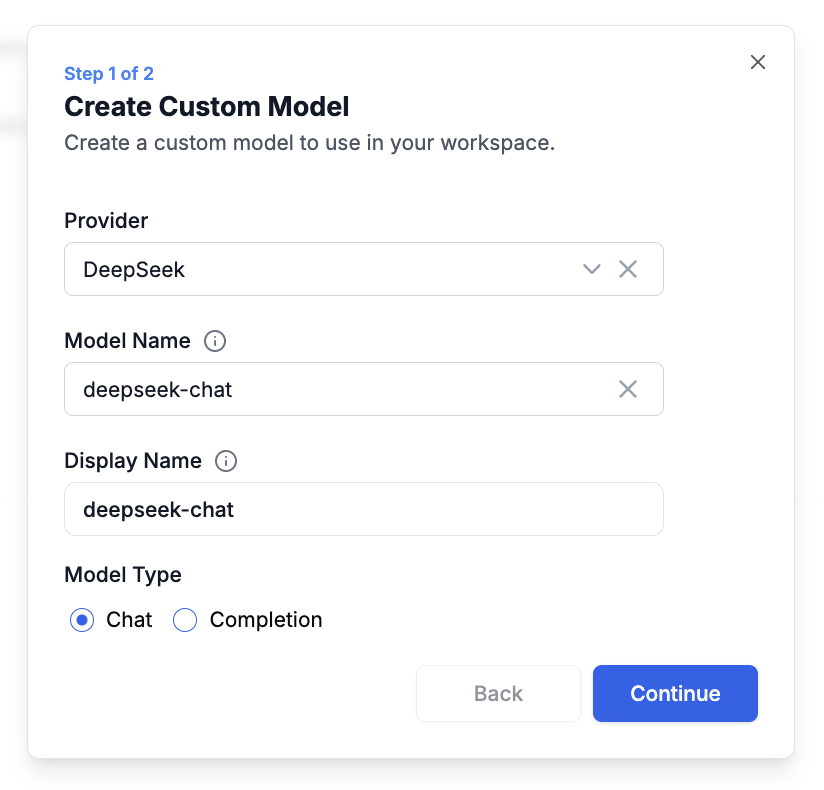
1. In **Settings → Custom Providers and Models**, click on your custom provider row to expand it
2. Click **Create Custom Model**
3. Fill in the model configuration:
* **Provider**: Select the custom provider you created earlier
* **Model Name**: Choose from known models or enter a custom identifier
* **Display Name**: A friendly name that appears in the prompt playground
* **Model Type**: Specify whether this is a Chat or Completion model
## Creating Custom Models
Once your provider is configured, you can define models for it:
1. In **Settings → Custom Providers and Models**, click on your custom provider row to expand it
2. Click **Create Custom Model**
3. Fill in the model configuration:
* **Provider**: Select the custom provider you created earlier
* **Model Name**: Choose from known models or enter a custom identifier
* **Display Name**: A friendly name that appears in the prompt playground
* **Model Type**: Specify whether this is a Chat or Completion model
 ## Using Custom Models
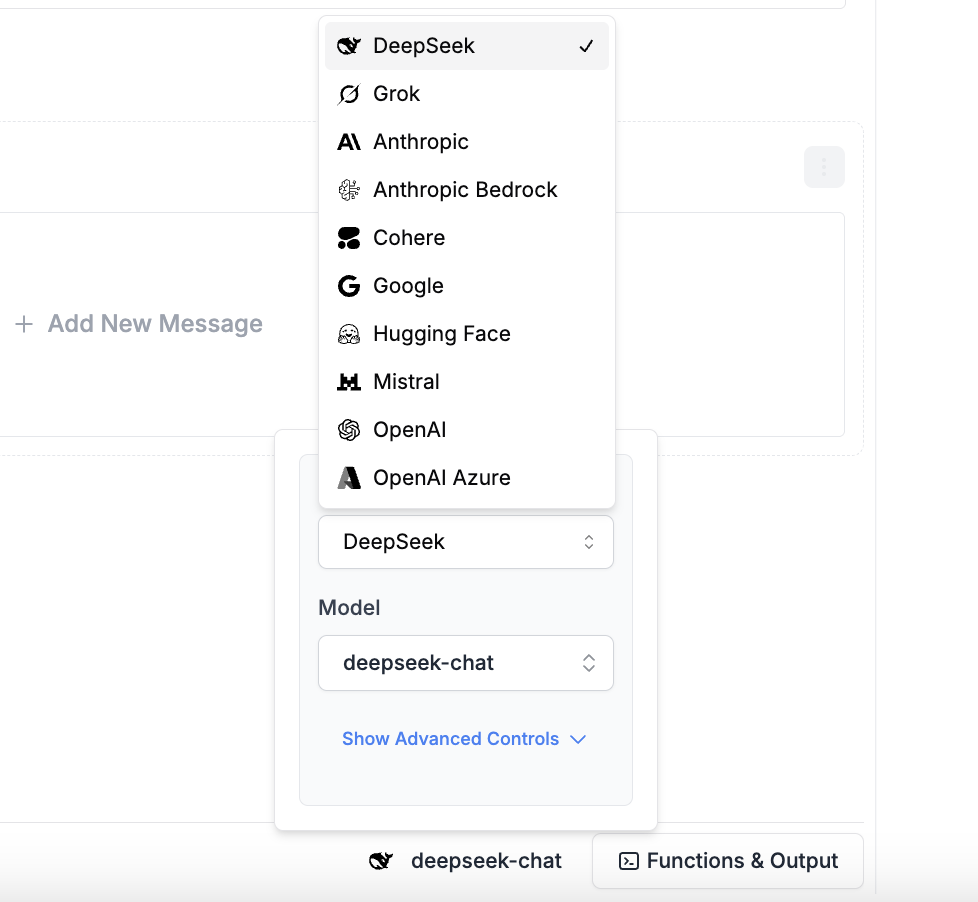
After setup, your custom models seamlessly integrate with PromptLayer's features. You can:
* Select them in the Playground alongside standard models
* Use them in the Prompt Editor for template creation
* Track requests and analyze performance just like any other model
## Using Custom Models
After setup, your custom models seamlessly integrate with PromptLayer's features. You can:
* Select them in the Playground alongside standard models
* Use them in the Prompt Editor for template creation
* Track requests and analyze performance just like any other model
 Custom providers give you complete control over your model infrastructure while maintaining all the benefits of PromptLayer's prompt management and observability features.
## Example Integrations
Looking for specific integration guides? See our detailed setup instructions for [OpenRouter](/features/openrouter-integration), [Exa](/features/exa-integration), and [xAI (Grok)](/features/xai-integration).
Follow the steps above to configure any OpenAI-compatible provider as a custom provider in PromptLayer.
Custom providers give you complete control over your model infrastructure while maintaining all the benefits of PromptLayer's prompt management and observability features.
## Example Integrations
Looking for specific integration guides? See our detailed setup instructions for [OpenRouter](/features/openrouter-integration), [Exa](/features/exa-integration), and [xAI (Grok)](/features/xai-integration).
Follow the steps above to configure any OpenAI-compatible provider as a custom provider in PromptLayer.